
Direct Answer / Key Takeaway: Iterative AI website editing is an engineering workflow where existing production HTML serves as an immutable baseline, modifications are executed strictly on scoped subtrees via localized AI prompts or direct visual manipulation, and changes are validated against both rendered UI and DOM integrity before committing to version history. Instead of regenerating full pages—which risks layout regression, overwrites manual CSS fixes, and breaks continuity—teams isolate edits into reviewable micro-passes, maintaining full version control from initial prototype to final deployment.
AI website generators make building an initial landing page remarkably fast. However, a production-grade webpage is rarely finished in a single generation. The moment stakeholder feedback rolls in—a changed keynote date, an updated pricing tier, or an urgent FAQ entry—most teams hit the Prompt-Regeneration Trap: submitting a new prompt that regenerates the entire document, destroying previous styling refinements, hallucinating broken CSS classes, and forcing reviewers to re-audit every untouched section from scratch.
The solution is not more prompts; it is treating your webpage as an evolving software asset. By shifting from prompt-based recreation to scoped iterative refinement, you maintain a continuous codebase where each accepted modification serves as the verified baseline for the next pass.
The Prompt-Regeneration Trap vs. Scoped Iterative Refinement
When you rely on full-page regeneration during "vibe coding," every subsequent prompt re-synthesizes the global DOM tree. Even if you only ask to change a single sentence, the language model re-evaluates the layout hierarchy, often altering Tailwind classes, inline styles, or semantic tags elsewhere on the page. This unpredictability creates severe maintenance friction:
- Layout Regression: Unrelated hero banners, responsive breakpoints, or component paddings unexpectedly shift.
- Lost Customizations: Custom SVG icons, embedded scripts, and manual copy tweaks get overwritten silently.
- Review Fatigue: Reviewers must inspect the entire page across desktop and mobile screens after every single prompt submission.
In contrast, scoped iterative refinement introduces a deterministic engineering loop: Verified Baseline → Scoped Target Area → Prompt with Structural Guard Clauses → Dual-Layer Inspection (Visual + DOM) → Version Checkpoint Commit. You only mutate what changed, leaving the remainder of the DOM untouched.
Strategic Workflow: The Iterative Edit Decision Matrix
Before issuing an AI prompt, categorize your task and decide whether it requires generative synthesis or visual precision. The matrix below translates broad requests like "update the event page" into verifiable, scoped actions:
| Task Category Recommended Engine Selection & Scope Strategy Guard Clause & Boundary Rule Acceptance Checkpoint | ||||
| Factual Mutation | Scoped AI Refinement | Select single card or bounded container (e.g., Event Details) | "Preserve card typography, spacing, colors, and all unmarked sections." | Data matches brief; mobile responsive wrap holds without text collision. |
| Structural Addition | Scoped AI + Visual Check | Select parent list or all sibling items (e.g., FAQ cards) | "Append as a direct sibling inside parent; do not nest inside existing items." | New item inherits exact sibling classes; no duplicate divider borders. |
| Spatial & Visual Polish | Visual Canvas Editor | Direct click selection on element; lock adjacent nodes | Zero prompt execution; manipulate CSS parameters directly on canvas. | Margin, padding, and alignment verified visually with zero code churn. |
| CTA & Tracking Setup | Visual Attribute Editor | Select button or anchor link | Bind target URL and UTM query parameters via link settings panel. | Anchor tags contain valid href, target, and tracking parameters. |
| Table Data & Grid Mod | Visual Table Editor | Select table cell or row | Insert rows/columns directly to avoid prompt syntax breakage. | Table markup maintains strict semantic tags (thead, tbody, tr, td). |
Phase 1: Establishing a Deterministic HTML Baseline
Effective iterative refinement requires starting with known, complete HTML. In HtmlDrag's AI Refinement workspace, you can initialize your baseline by uploading an existing HTML file, pasting clean markup, or cloning a live webpage. You can also resume previous iterations directly from My Projects.
Before issuing your first refinement prompt, conduct a quick baseline audit. Inspect the navigation links, primary headline, card hierarchy, and responsive behavior. Most importantly, define an unambiguous acceptance statement for the upcoming pass. For example: "Update the event date to October 22 and add hybrid attendance details; preserve all typography, colors, and adjacent agenda sections." This concrete expectation ensures you audit the AI's output against verifiable benchmarks rather than subjective impressions.
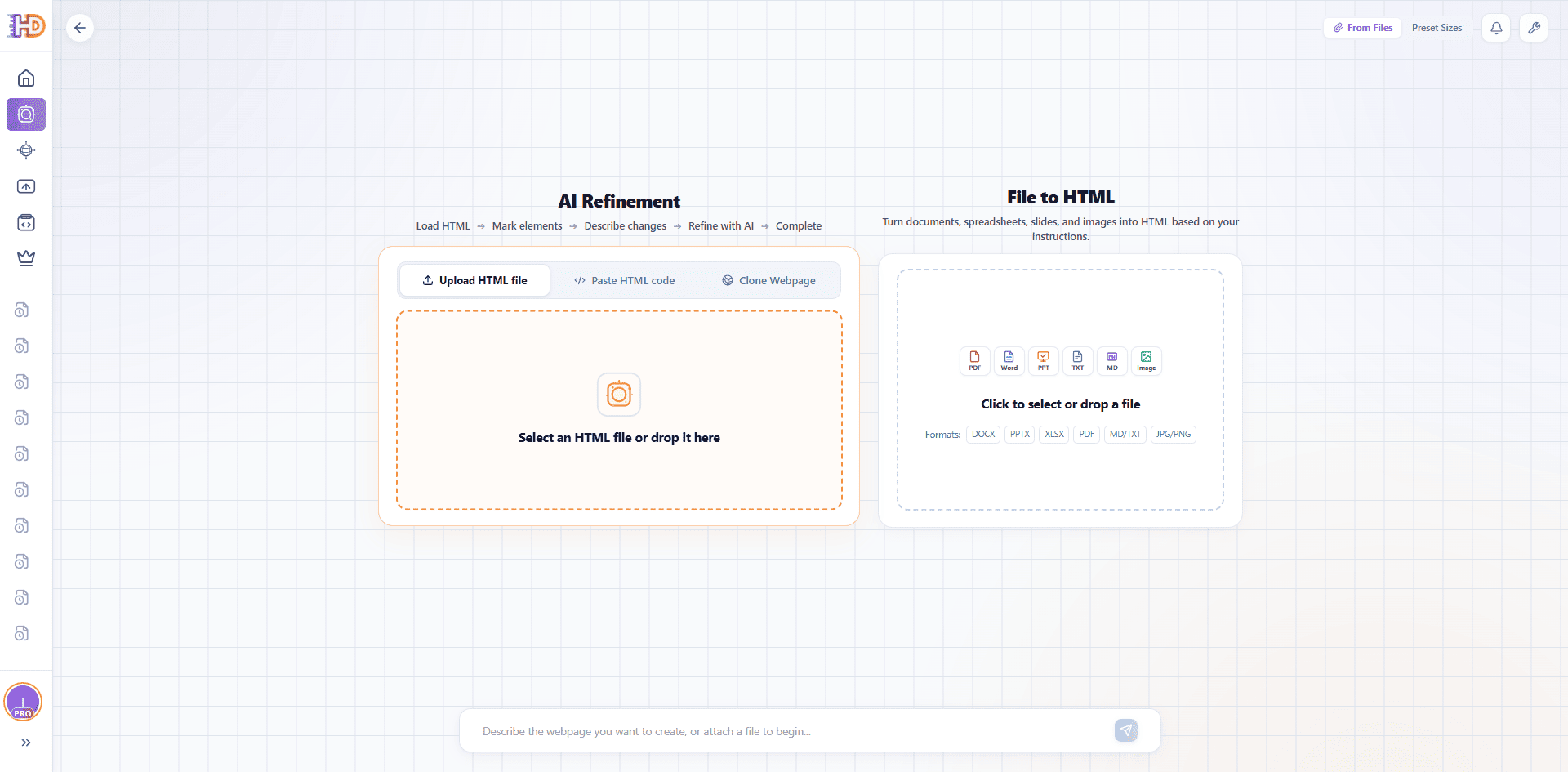 Figure 1. The HtmlDrag AI Refinement gateway allows loading standalone HTML files, raw code, or live URLs as baselines.
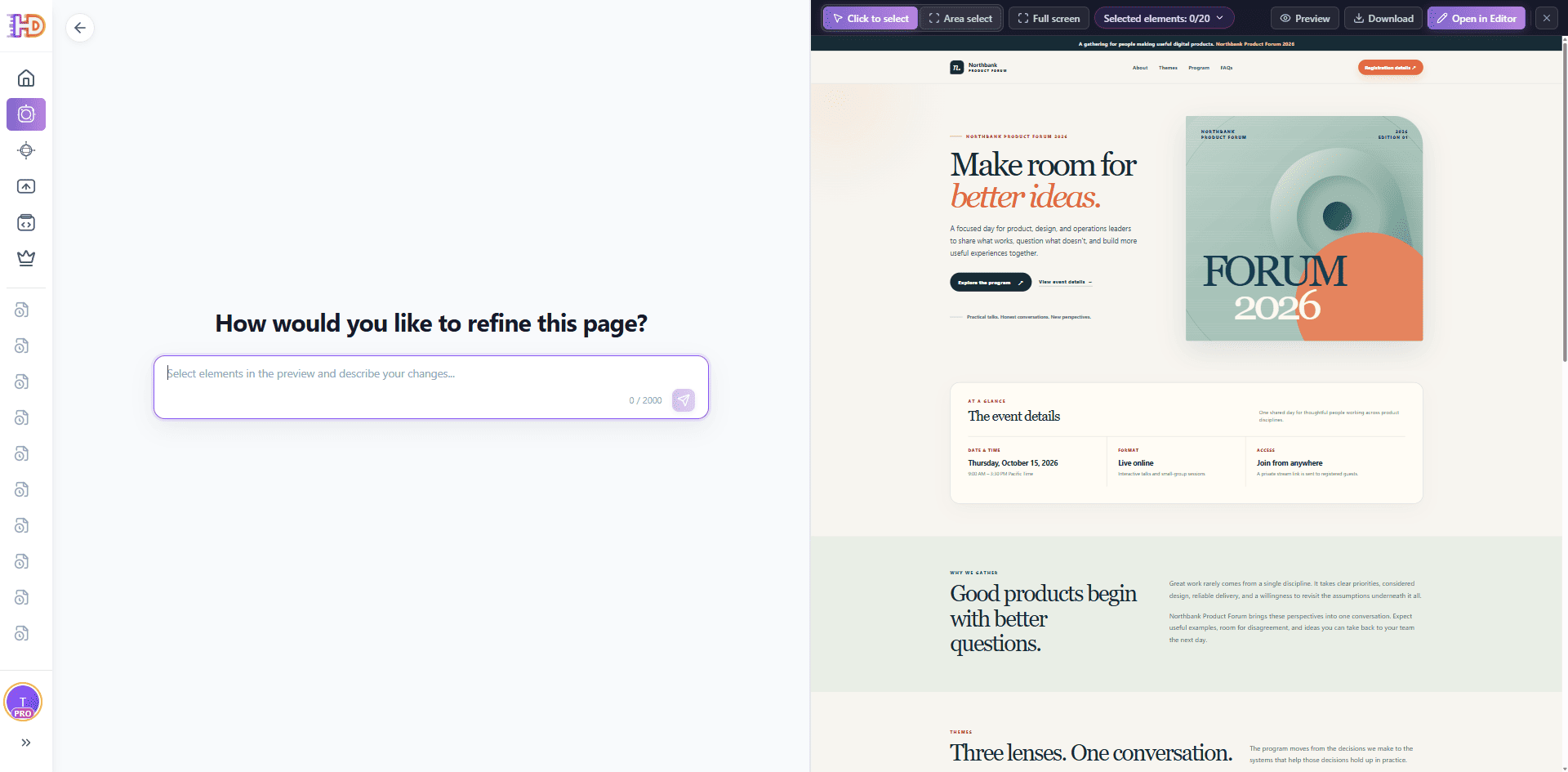 Figure 2. Baseline page loaded in the split-screen workspace, displaying original dates and online-only format.
Case Study: Refining an Event Landing Page Across Two Controlled Passes
To demonstrate this methodology in practice, let us examine a real-world scenario using the Northbank Product Forum 2026 landing page. Initially created for an online-only event on October 15, the business requirements shift: the event is rescheduled to October 22 as a hybrid event in San Francisco. Following this update, the team must answer attendee questions regarding remote attendance in the FAQ section.
Instead of rebuilding the site, we execute two distinct, reviewable passes on the exact same project codebase.
Pass 1: Scoped Factual Mutation with Layout Isolation
Using the Area Select tool, we isolate the event-details card. This bounds the AI's execution context exclusively to that container, preventing unintended regressions across the hero section or upcoming agenda schedule.
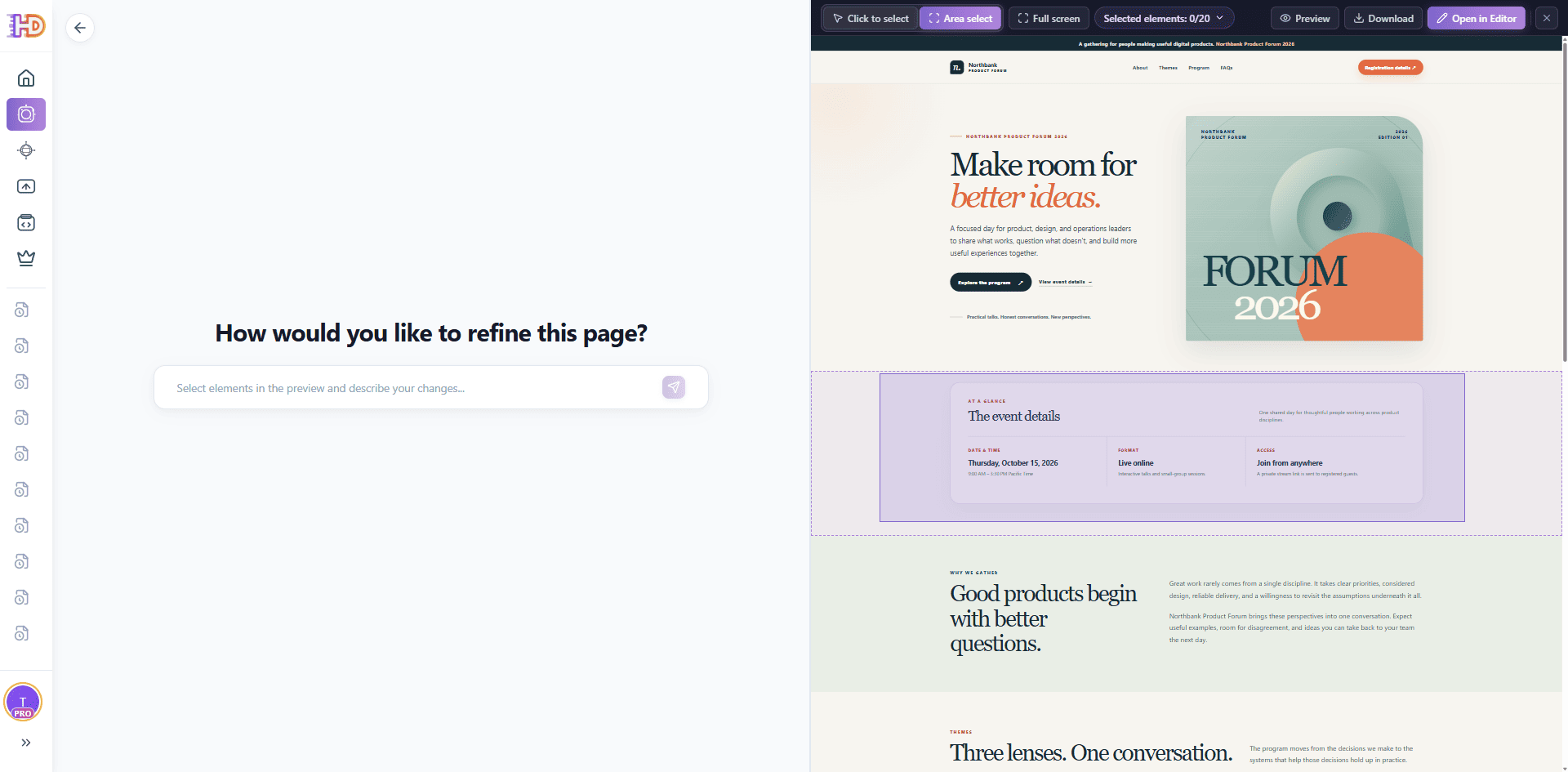 Figure 3. The Area Select rectangle isolates the event-details card, bounding the upcoming prompt scope.
We submit a prompt engineered with explicit facts and boundary preservation rules:
Prompt Pattern 1: Factual Mutation with Boundary Guard
Update only the marked event-details card. Set the date to Thursday, October 22, 2026. Keep the time at 9:00 AM–3:30 PM Pacific Time. Change the format to "Hybrid: in person + online" and the supporting line to "Northbank House, San Francisco · live stream available". Change "Join from anywhere" to "Attend your way" and explain that in-person guests receive venue details while remote guests receive a private stream link after registration. Preserve the card layout, typography, colors, and all unmarked sections.
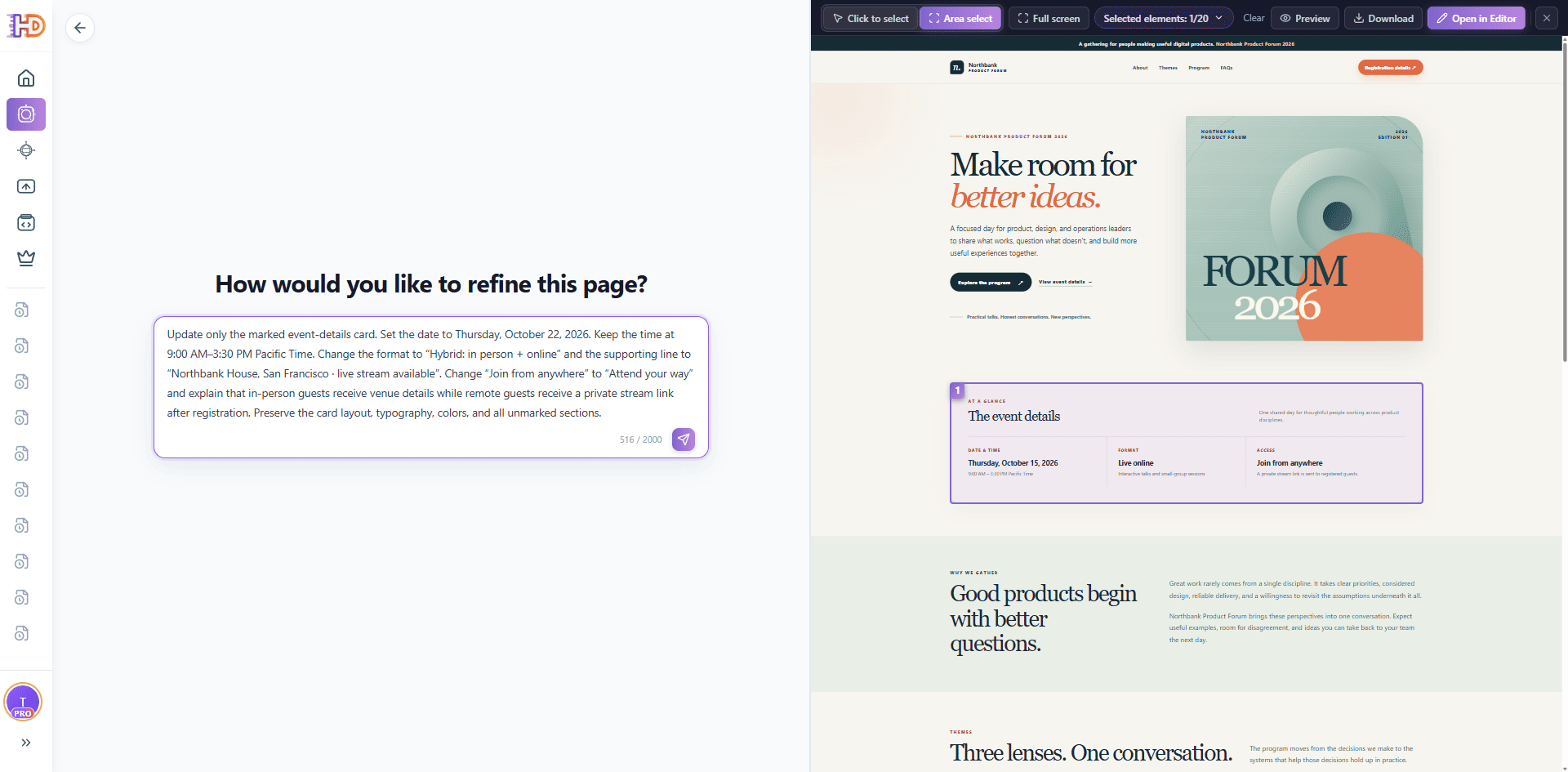 Figure 4. Targeted prompt configured with 1 selected container and strict boundary rules.
Verification Step: The AI confirmation message indicates success. However, professional auditing demands inspecting the rendered canvas and markup: verify that the new date, hybrid venue, and registration copy render cleanly, the 3-column layout adapts gracefully on smaller viewports, and no other page sections were impacted.
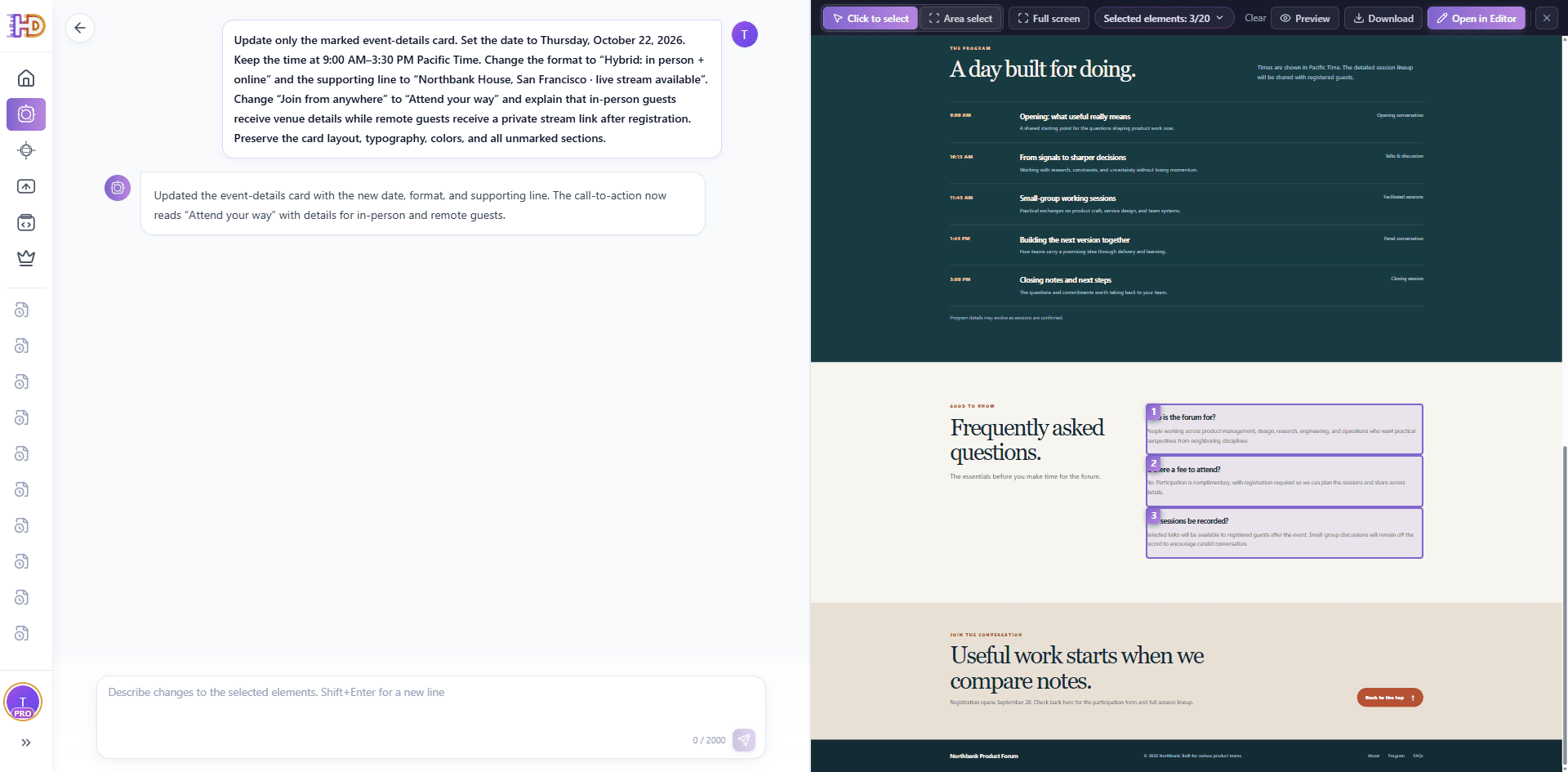 Figure 5. The first pass succeeded. The canvas scrolls to the FAQ section, selecting entries to prepare for Pass 2.
Pass 2: Sibling Injection and the "Visual vs. DOM" Inspection Trap
With the core event data updated, the second pass addresses attendee logistics by adding a fourth FAQ entry: "Can I attend remotely?" In this session, the user selected the three existing FAQ cards rather than their parent container element.
Prompt Pattern 2: Sibling DOM Injection with Hierarchy Guard
Update only the marked FAQ list for the forum's new hybrid format. Keep the three existing questions and answers in their current order. Add one new FAQ item at the end. Question: "Can I attend remotely?" Answer: "Yes. Remote guests can join the live stream and will receive a private access link after registration." Match the existing FAQ item's HTML structure, typography, spacing, and dividers. Append as a direct child sibling of the FAQ list; do not nest inside existing items. Do not change unmarked content.
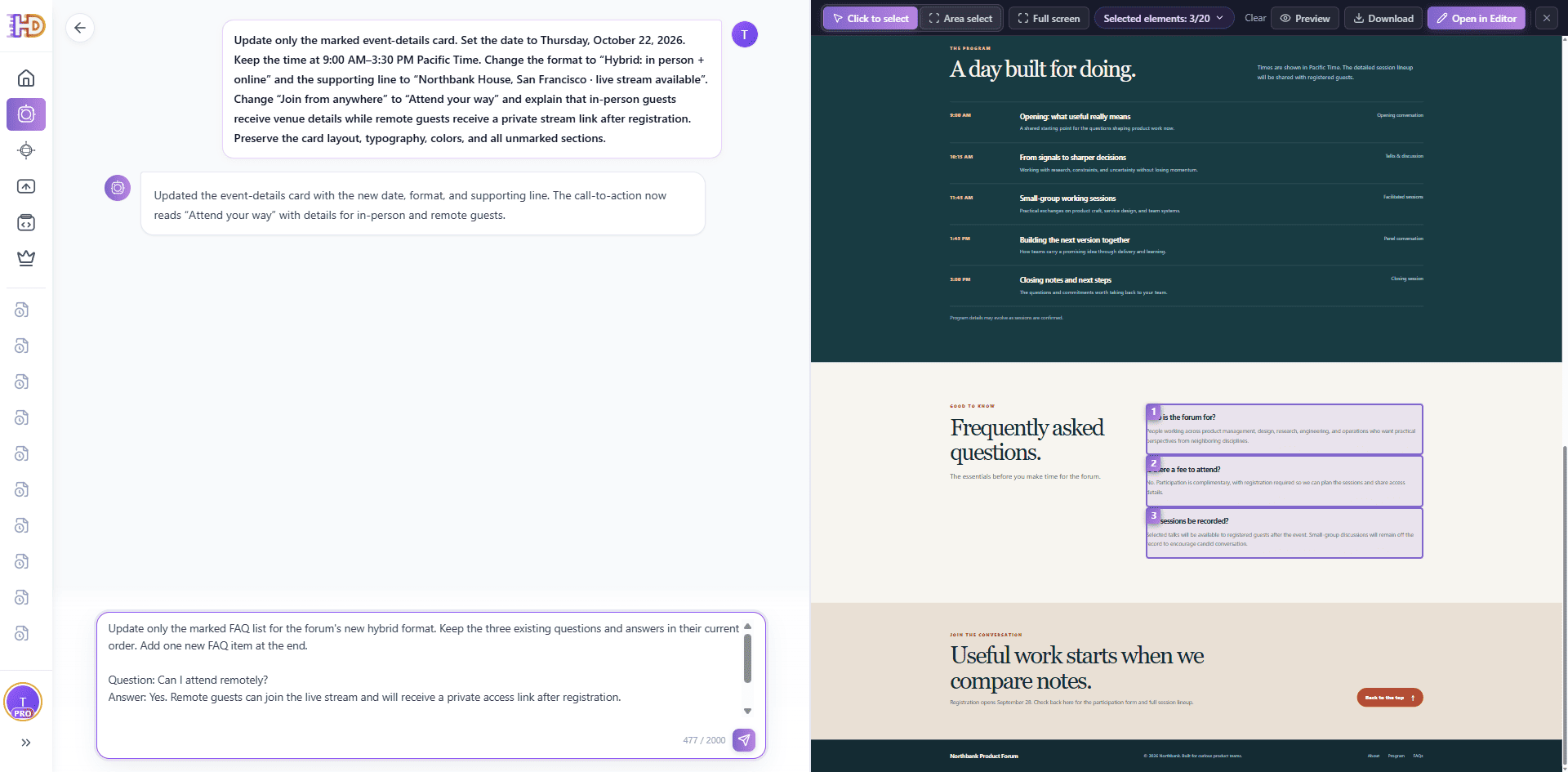 Figure 6. Pass 2 prompt targeting FAQ additions, selecting the three existing FAQ items.
During execution, the model may briefly enter a task queue state while orchestrating DOM transformations. When the generation completes, the rendered canvas appears to display the new question and answer as requested.
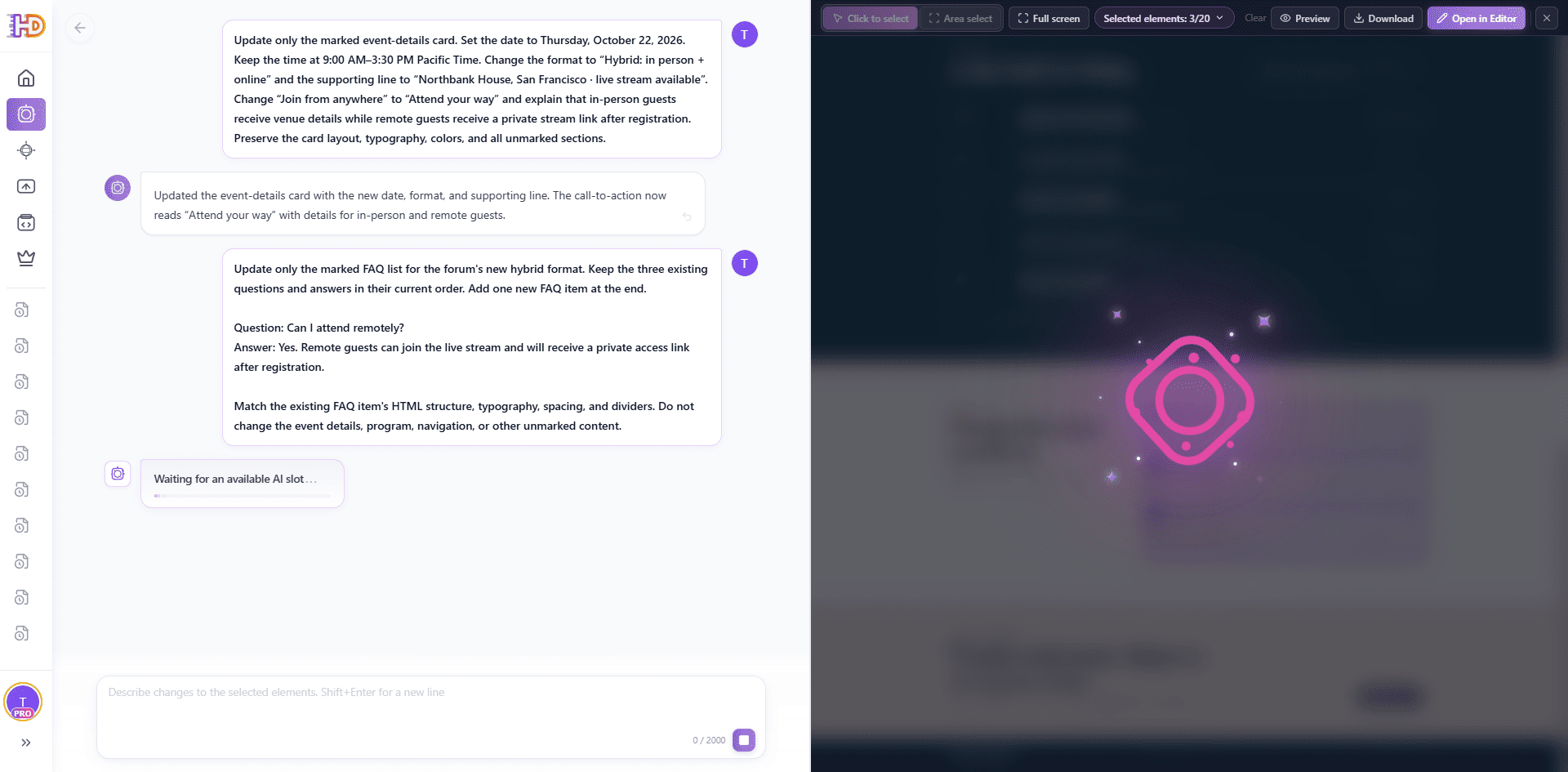 Figure 7. Transient processing state during refinement; the returned result must undergo dual verification.
The Critical Engineering Lesson: Look closely at the bottom of the FAQ block in the rendered result. There is an unmistakable visual glitch—a double horizontal divider below the fourth question.
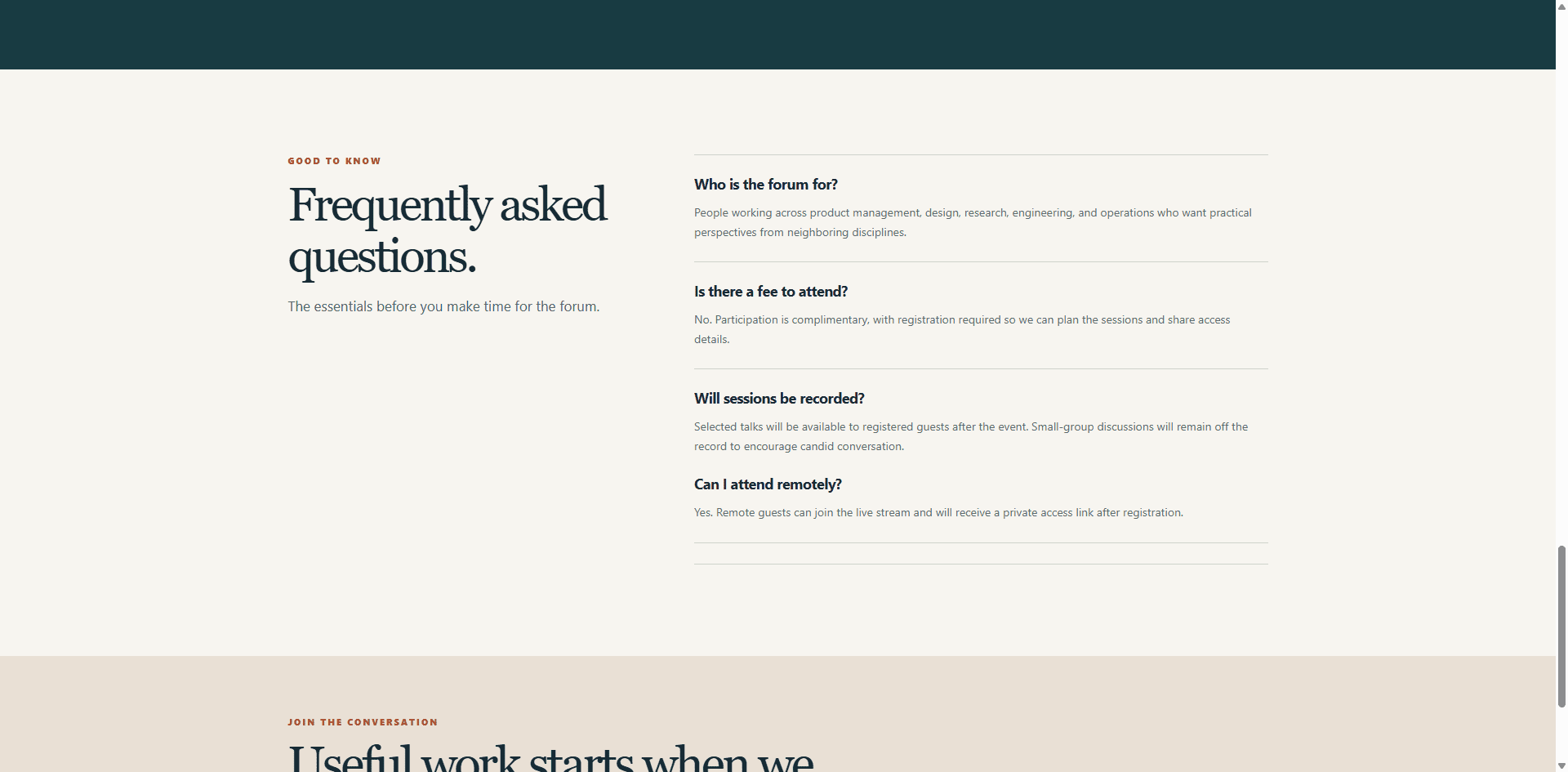 Figure 8. Visual inspection reveals an extra border line at the bottom, indicating a DOM nesting error.
Why did this happen? An inspection of the exported DOM structure reveals the root cause: because three individual child items were selected rather than the parent wrapper .faq-list, the AI appended the fourth item inside the third item's container rather than as a true direct sibling. Both the third and fourth items retained their bottom border classes, producing an unsightly double divider.
This is why a successful AI response is never an acceptance criterion. The copy was accurate, but the DOM structure failed. This pass must be flagged as Unaccepted until the structural hierarchy is cleaned up.
The Hybrid Workflow: When to Stop Prompting and Switch to Visual Editing
When an AI generation leaves minor CSS anomalies, misaligned paddings, or nested DOM borders, attempting to fix them with yet another natural language prompt is often inefficient. Prompting "remove the extra line" can easily introduce secondary regressions. The professional practice is a hybrid workflow: use AI for semantic copy generation and structural scaffolding, then switch directly to the visual canvas editor for surgical adjustments.
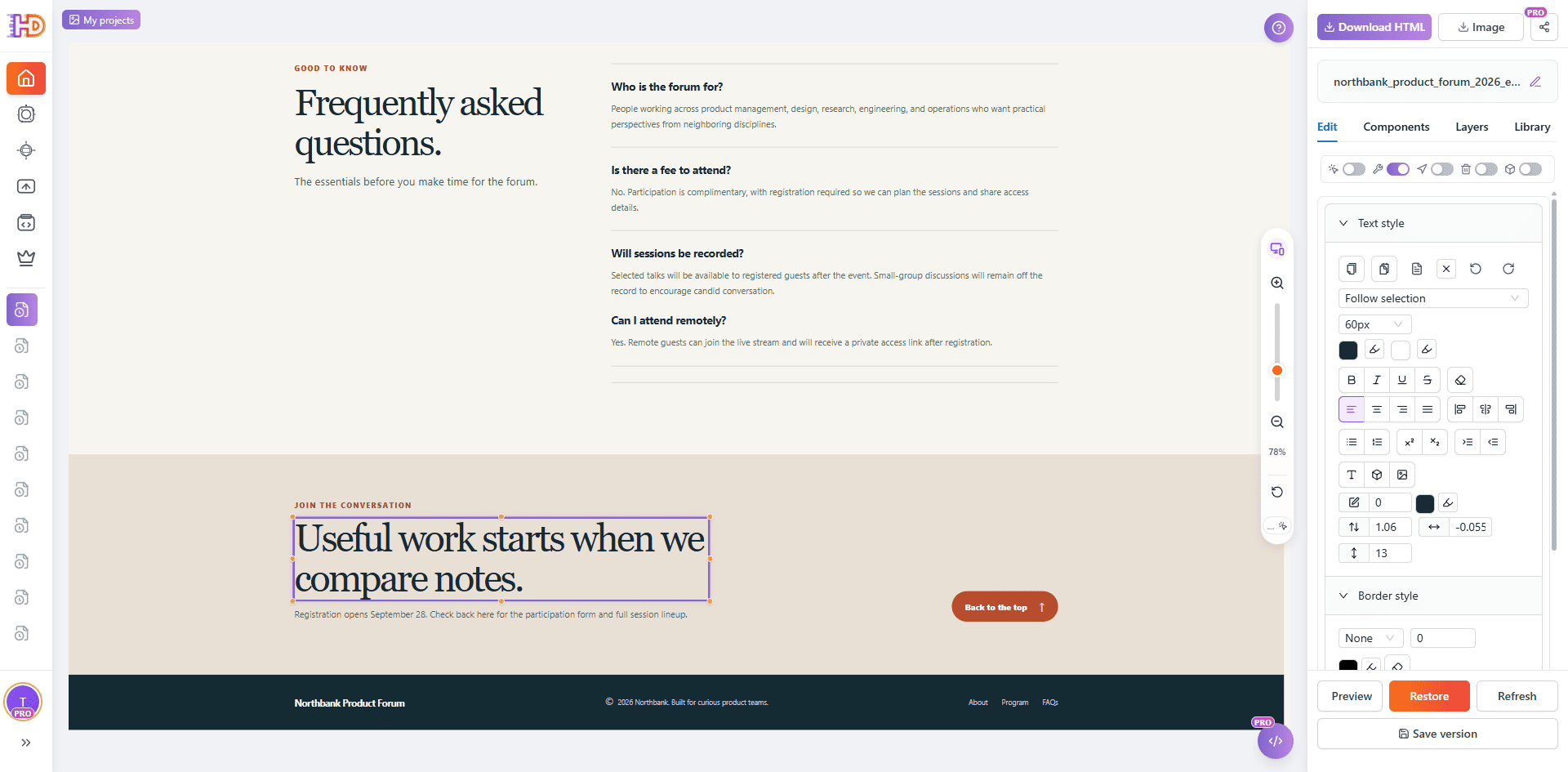 Figure 9. Seamless transition to HtmlDrag's Visual Editor for direct DOM manipulation and style tweaking.
Inside HtmlDrag's visual editor, developers and designers unlock an array of surgical editing capabilities:
- DOM Hierarchy & Tag Pruning: Drag the improperly nested FAQ node into its correct parent container, or delete redundant wrapper tags with a single click.
- Component Locking: Lock approved headers, navigation bars, and pricing cards to guarantee zero accidental layout drift while editing adjacent elements.
- Table & Grid Management: Add or remove rows and columns directly without risking invalid HTML table markup.
- CTA & UTM Parameter Configuration: Bind landing URLs and campaign UTM tracking tags directly to buttons and anchors via the property inspector.
- Version Snapshotting & Rollback: Click Save version to store clean project states. If a future experiment fails, restore earlier checkpoints instantly.
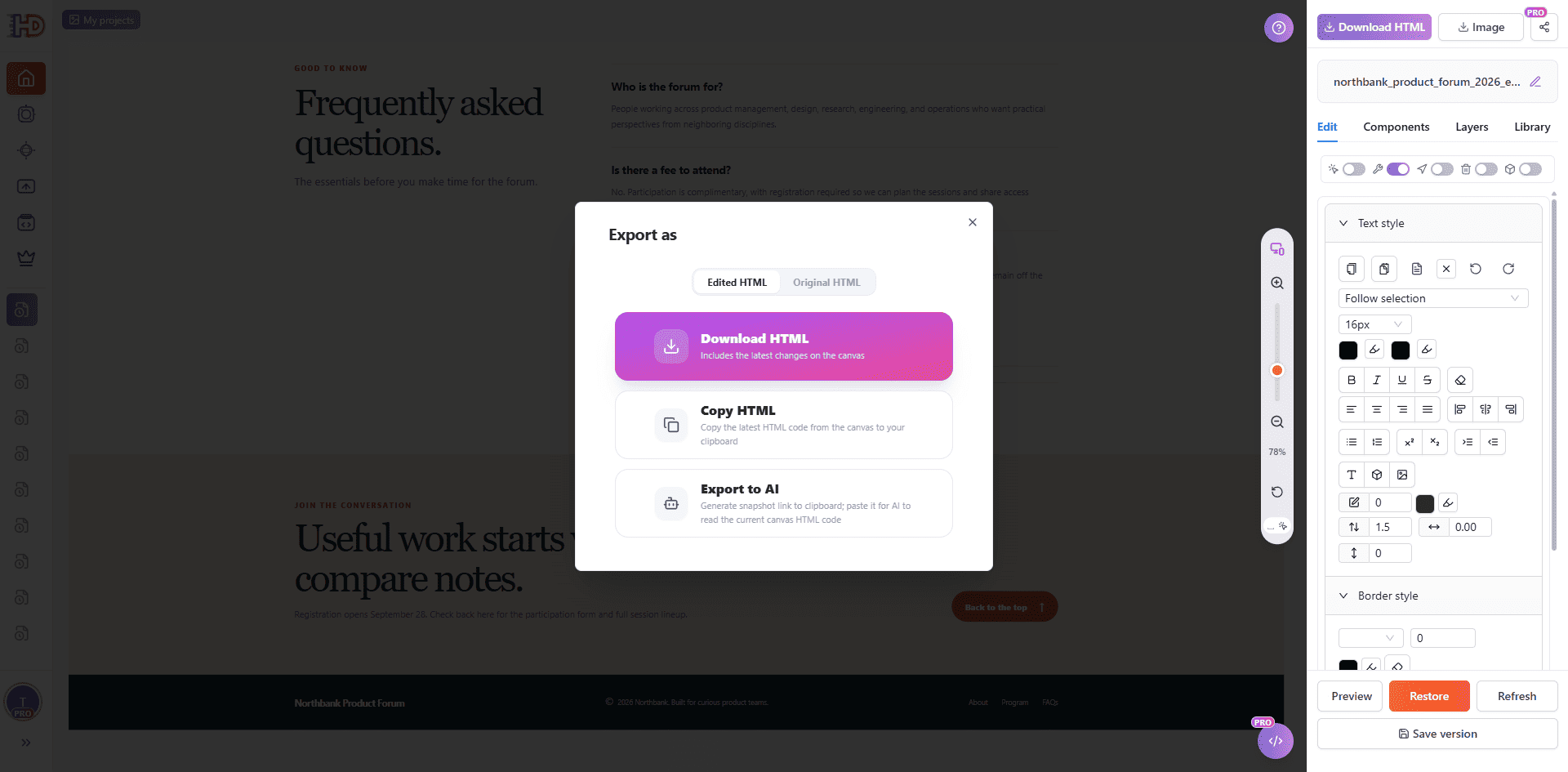 Figure 10. The export dialog supports downloading Edited HTML, copying raw code, or exporting tokens for downstream AI workflows.
Production Prompt Engineering Patterns
To ensure high fidelity in every iteration, use standardized prompt patterns equipped with explicit structural boundary guards:
Pattern A: Strict Factual Replacement with Style Freezing
Update only the content inside [Target Container]. Replace [Old Fact/Value] with [New Fact/Value]. Strictly preserve all existing CSS classes, typography, padding, color schemes, and responsive breakpoints. Do not alter any sibling nodes or elements outside this container.
Pattern B: Sibling Item Injection with DOM Hierarchy Guard
Within [Parent Container], append a new [Item Name] after the existing [N] items. Content: [Title/Question], [Body/Answer]. The new element must be inserted as a direct child of [Parent Container], mirroring the exact HTML tag hierarchy, styling classes, and border properties of adjacent sibling items. Do not nest inside existing items.
Pattern C: Contextual Copy Refresh with CTA Anchor Preservation
Revise the text content of [Target Section] to reflect [New Messaging / Offer]. Maintain the exact CTA button markup, including its existing href link, onclick handlers, and class attributes. Do not remove or reorder existing interactive elements.
The Multi-Round Acceptance Checklist
Run through this rigorous checklist before committing any AI refinement pass to your version history or exporting for production deployment:
- Baseline Integrity: Did you initiate this pass from the latest verified and saved version snapshot?
- Scope Precision: Are only the elements required for this specific decision selected in the canvas?
- Guard Clause Enforcement: Did your prompt explicitly command the AI to preserve unmarked areas, typography, and responsive styles?
- Dual-Layer Audit: Did you inspect both the rendered visual canvas (looking for double dividers or spacing slips) and the underlying DOM hierarchy?
- Cross-Viewport Verification: Does the revised component adapt cleanly across desktop, tablet, and mobile breakpoints?
- Checkpoint Commitment: Is this pass formally saved as a project version before initiating subsequent modifications?
Frequently Asked Questions
Can I edit an AI-generated website iteratively without having the original prompt?
Yes. The iterative refinement workflow is prompt-agnostic. You only need the existing HTML code, uploaded file, or live URL. By treating the existing markup as the baseline, you can modify any section with targeted prompts or direct visual edits without ever recreating the original generation prompt.
Why did adding a new FAQ item create a duplicate divider line?
Duplicate borders typically occur when an AI model nests a newly generated item inside an adjacent sibling container rather than appending it as a direct child of the parent list. Both containers retain their bottom-border styling, resulting in a doubled line. This can be prevented by selecting the parent container or resolved immediately in the Visual Editor.
How does component locking help during multi-round editing?
Component locking freezes selected sections on the canvas, preventing accidental mouse drags, styling cascades, or prompt modifications from impacting finalized sections. This guarantees that work on adjacent modules never compromises pre-approved page regions.
Does saving a version in HtmlDrag automatically push changes to my live hosting?
No. Saving a version preserves a project milestone within HtmlDrag, providing safe rollback checkpoints. To deploy updates to production, use the Download HTML option to export clean, self-contained production code and publish it through your standard CI/CD or hosting pipeline.
Stop Starting Over: Build Sustainable AI Web Workflows
The true power of AI-assisted web design is not generating a hundred throwaway landing pages from scratch. It is the ability to steer an existing production page through deliberate, high-conviction iterations: update a keynote fact, audit its DOM structure, expand the FAQ, polish the responsive layout, and commit verified checkpoints.
By pairing scoped AI prompting with visual editing precision and strict version history, you eliminate regeneration roulette and transform vibe coding into a predictable, professional engineering discipline. Explore HtmlDrag today and experience how multi-round iterative refinement makes your AI websites truly maintainable.