
Introduction
Email marketing remains one of the most effective channels for reaching customers. But here's the problem: email HTML is notoriously difficult to edit. Unlike web pages, you can't simply open an email template in a visual editor and make changes.
Unlike regular web pages, email HTML requires:
- Inline CSS styles (no external stylesheets)
- Table-based layouts for compatibility
- Special handling for different email clients (Gmail, Outlook, Apple Mail)
If you've ever received a beautifully designed email template and wanted to make a "simple" change—like updating the discount percentage or swapping a product image—you know the frustration.
This guide shows you how to edit email HTML visually, without writing any code. Whether you're working with Mailchimp, Klaviyo, HubSpot, Constant Contact templates, or exports from Stripo and Beefree, you'll learn a no-code approach to email template editing.
The Problem: Why Email HTML Is So Hard
Here's what a typical promotional email looks like:
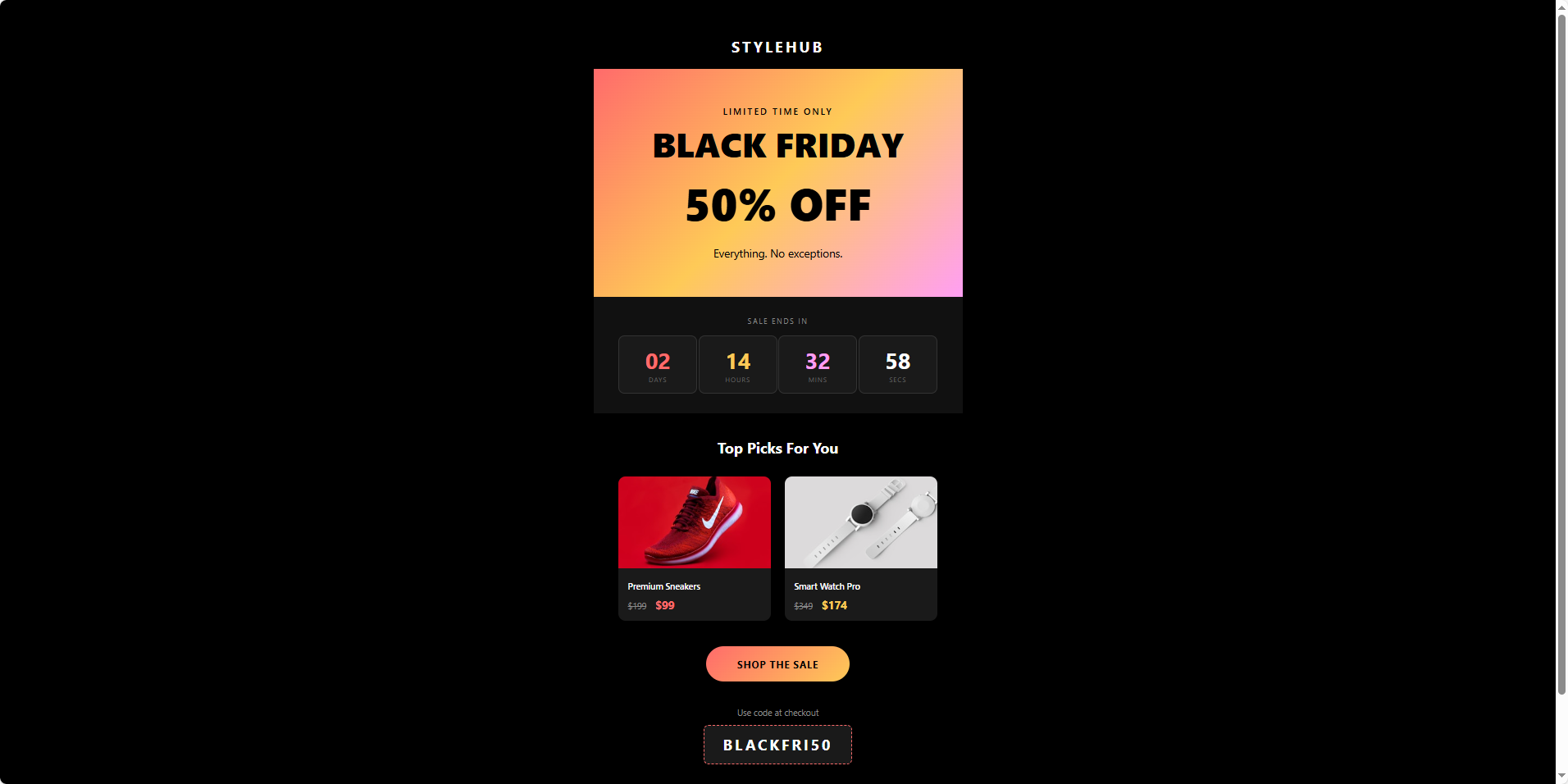
Looks simple, right? But behind this design is complex nested HTML:
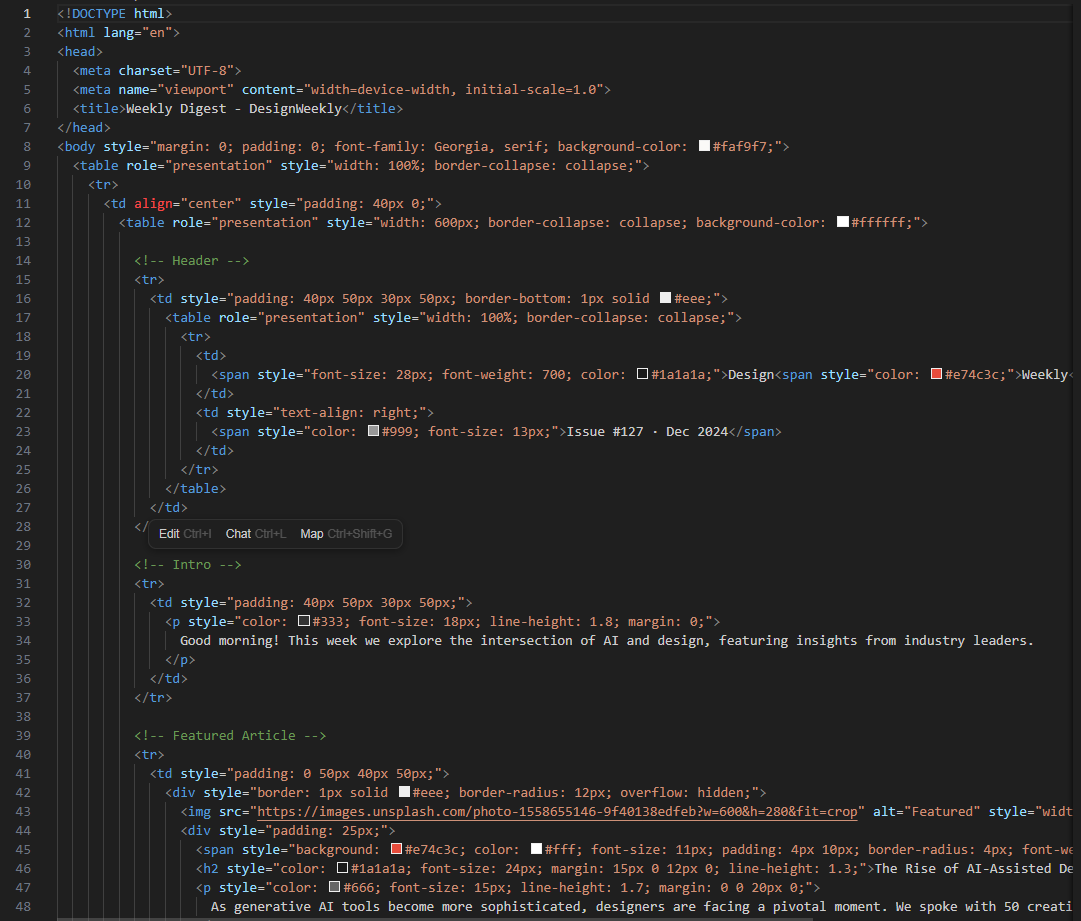
1. Everything is inline
You can't just add a CSS class. Every style must be written directly on the element:
2. Nested tables everywhere
Email layouts use <table> inside <table> inside <table>. Finding the right cell to edit is like navigating a maze.
3. One wrong character breaks everything
Delete a </td> by accident? Your entire layout collapses.
The Solution: Visual Drag-and-Drop Editing
What if you could:
- See the email exactly as it will appear while you edit
- Click on any element to change text, colors, or images
- Drag elements to rearrange the layout
- Export clean HTML ready to paste into your email platform
That's exactly what HtmlDrag does. Here's a step-by-step walkthrough.
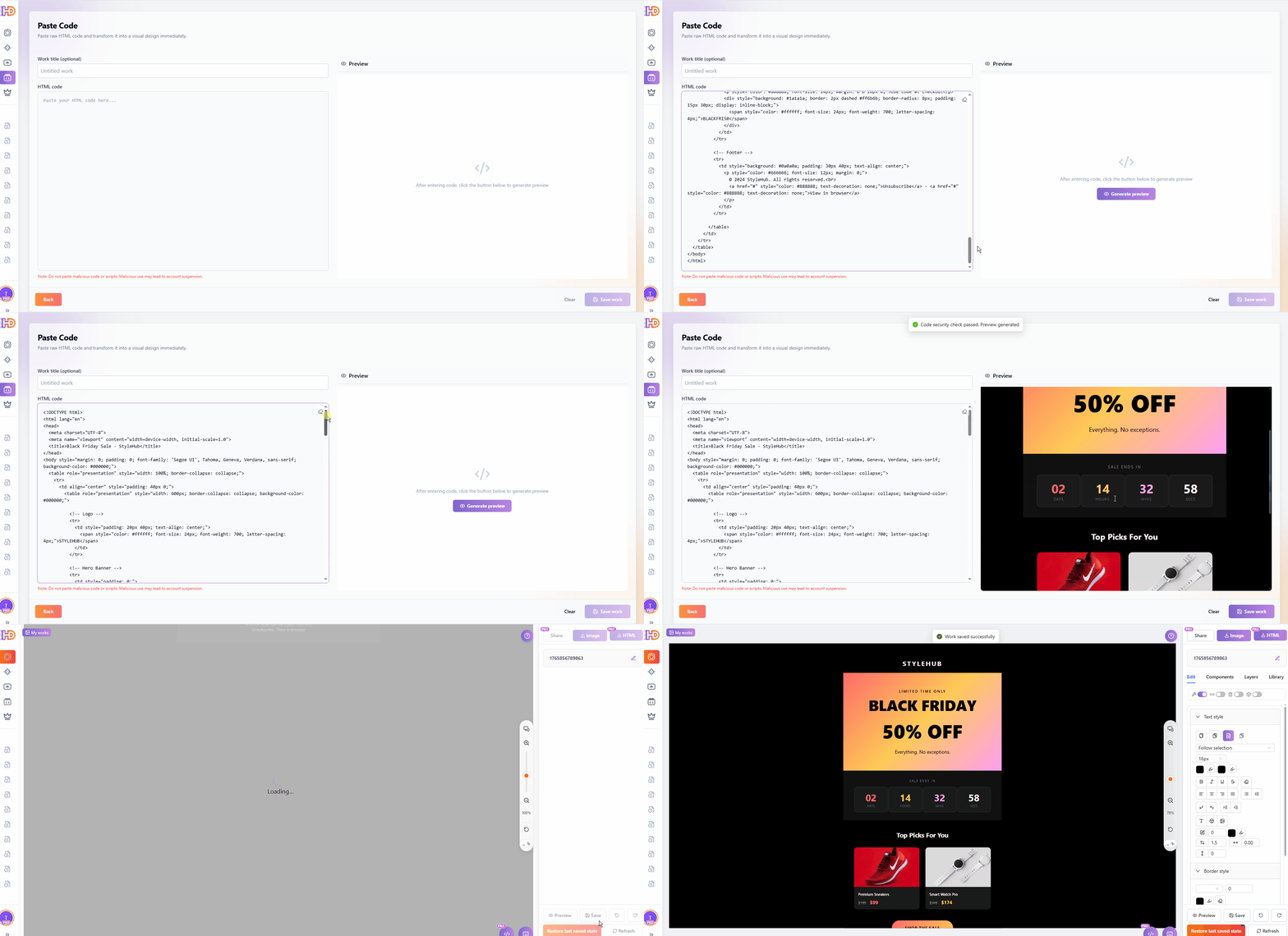
Step 1: Paste Code
Go to htmldrag.com and use the "Paste Code" feature. Paste your email HTML, and it instantly renders as a visual editor.
Step 2: Move elements around
Simply drag any element to reposition it. No need to edit complex table structures.
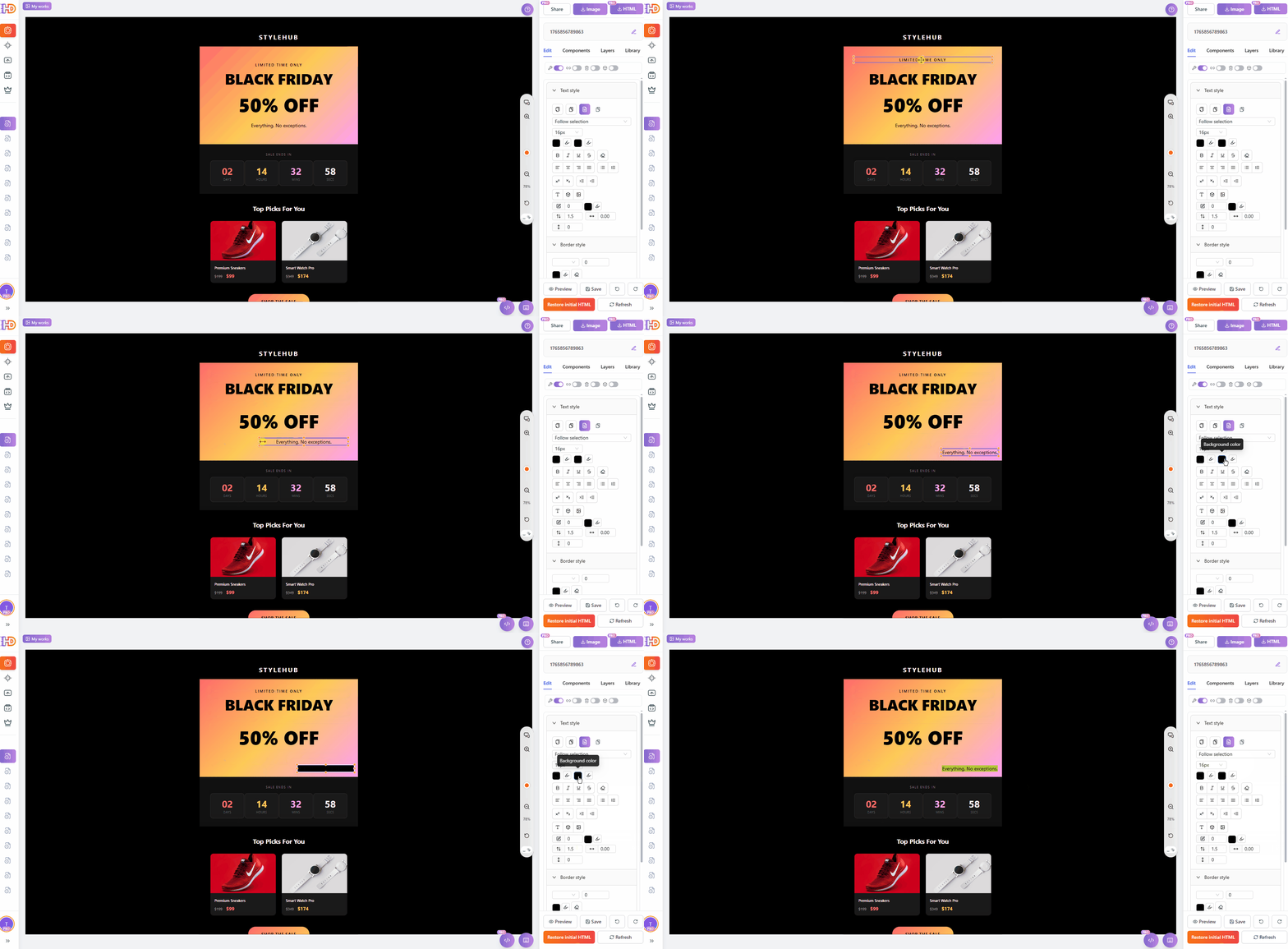
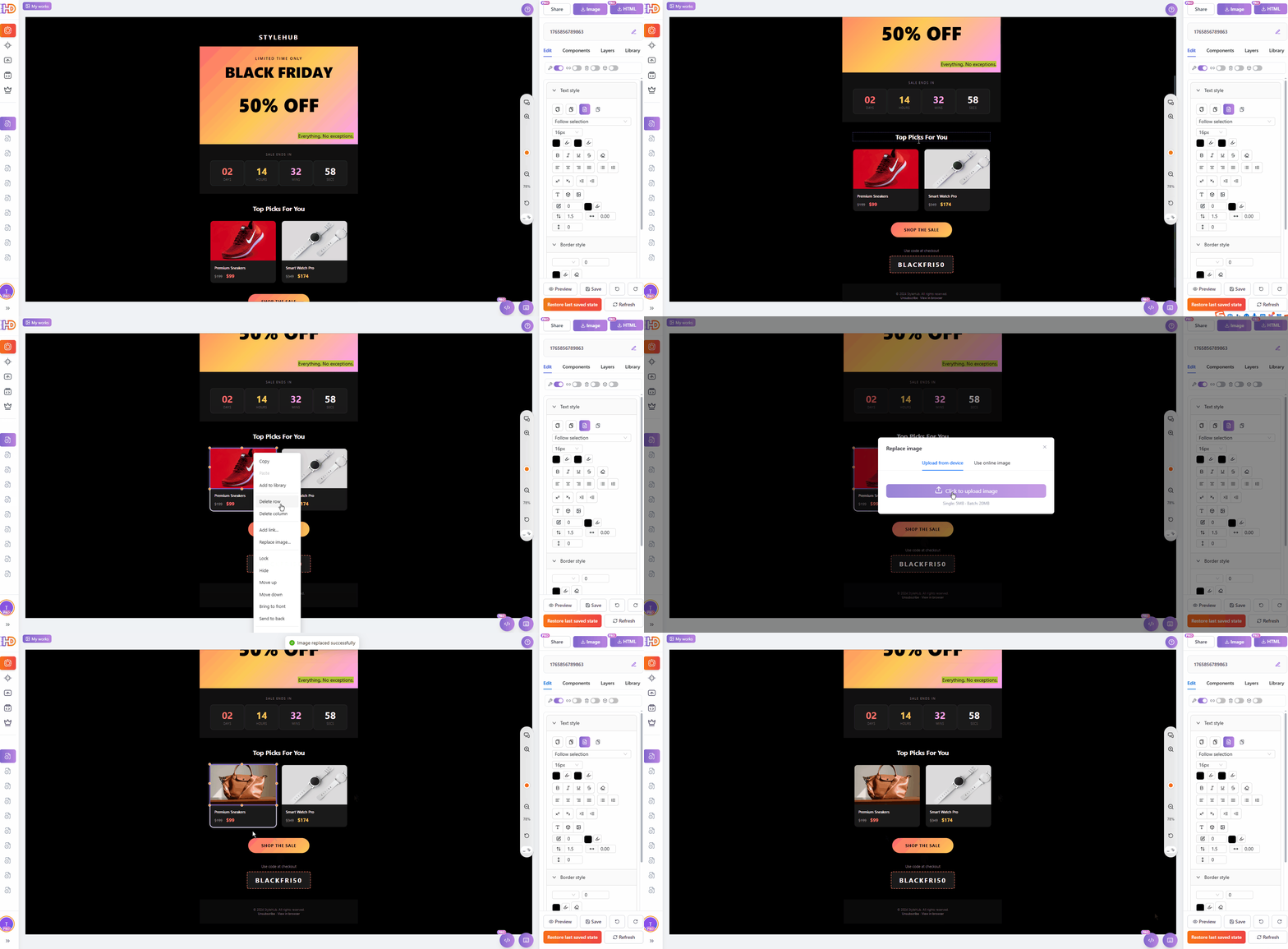
Step 3: Replace product images
Click on any image and replace it with a new one. Perfect for updating product photos.
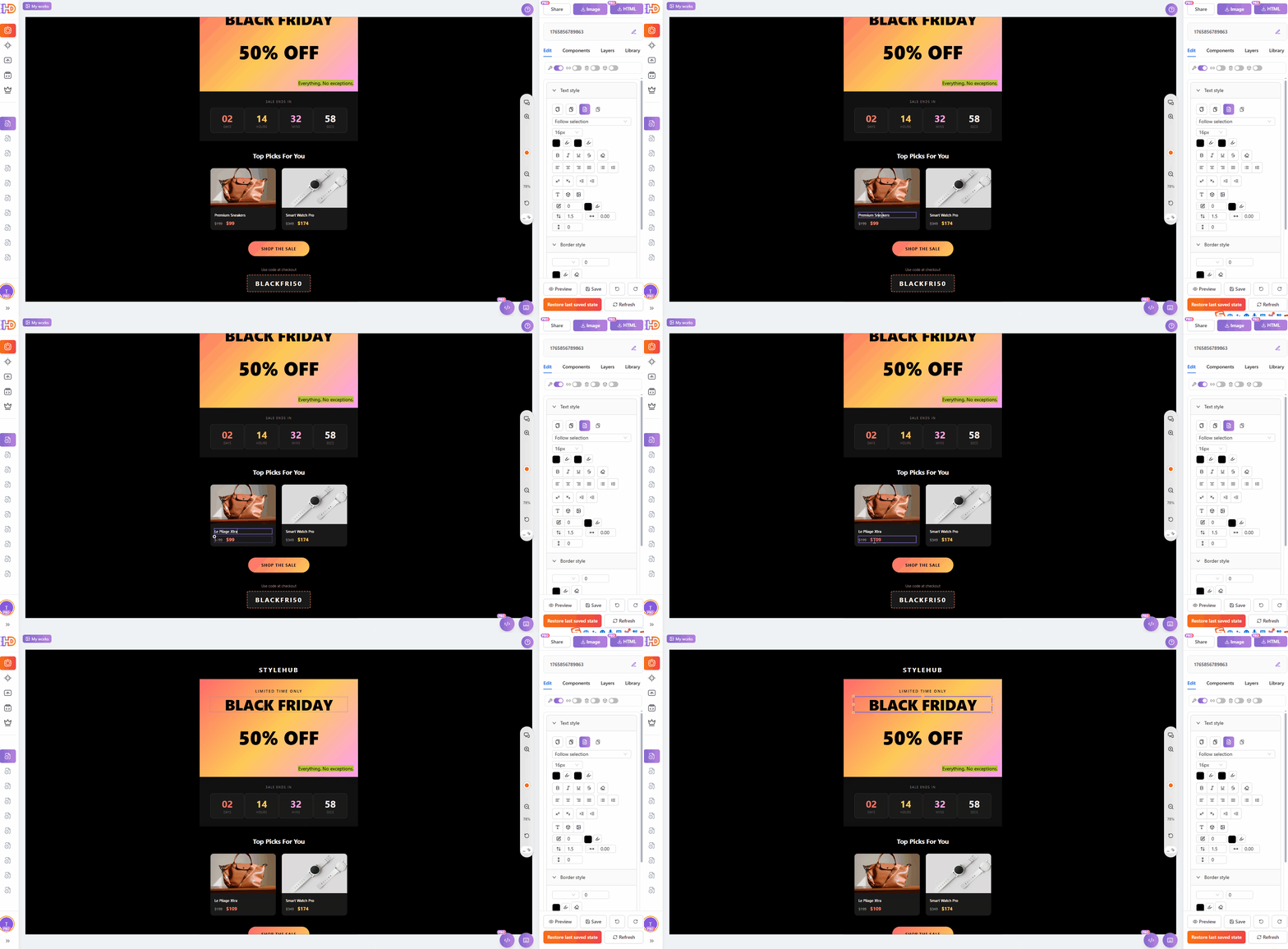
Step 4: Edit prices and text
Click directly on any text to edit it. Change prices, descriptions, or promo codes instantly.
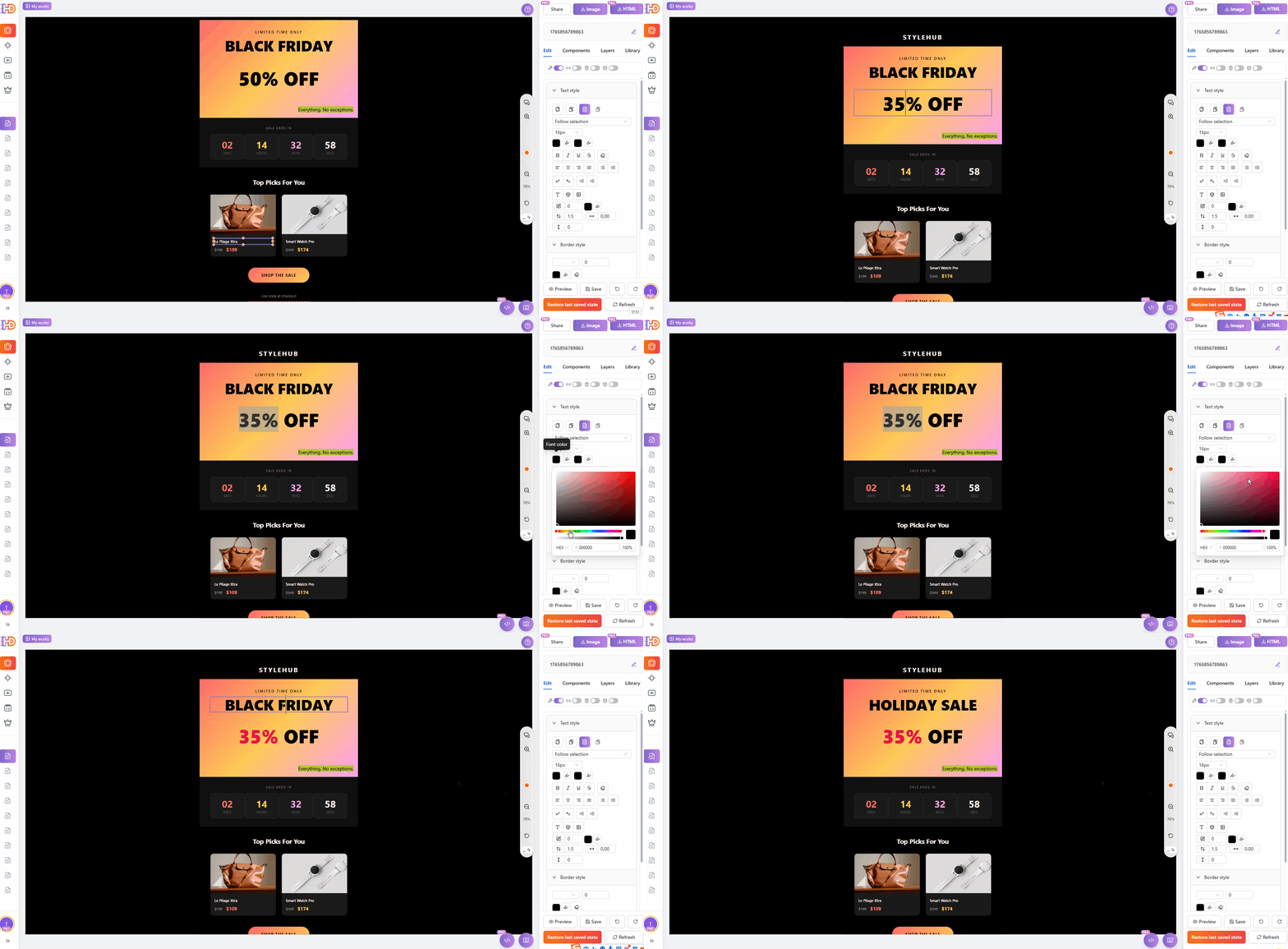
Step 5: Update the headline
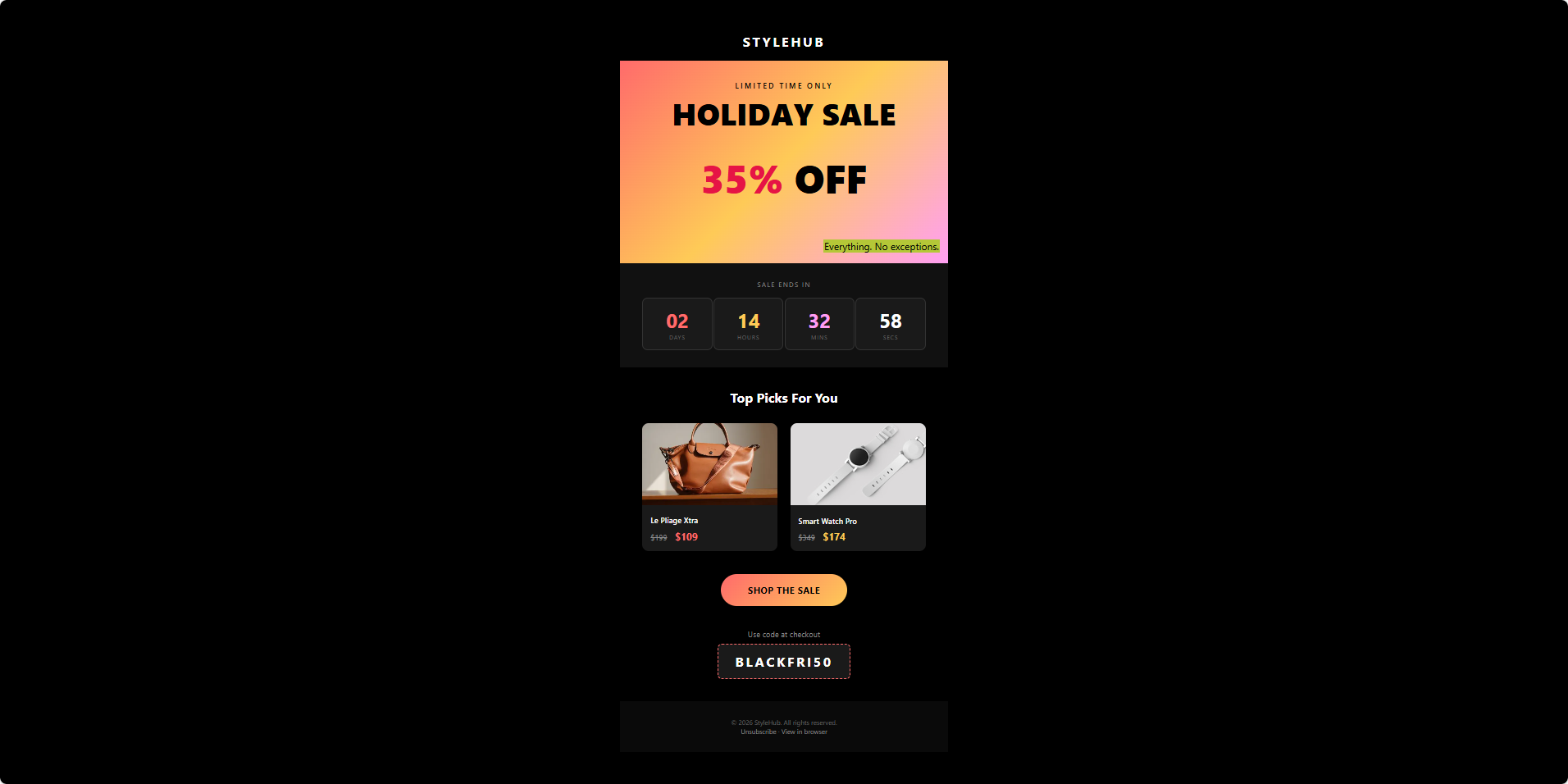
Turn "Black Friday" into "Holiday Sale" with just a few clicks.
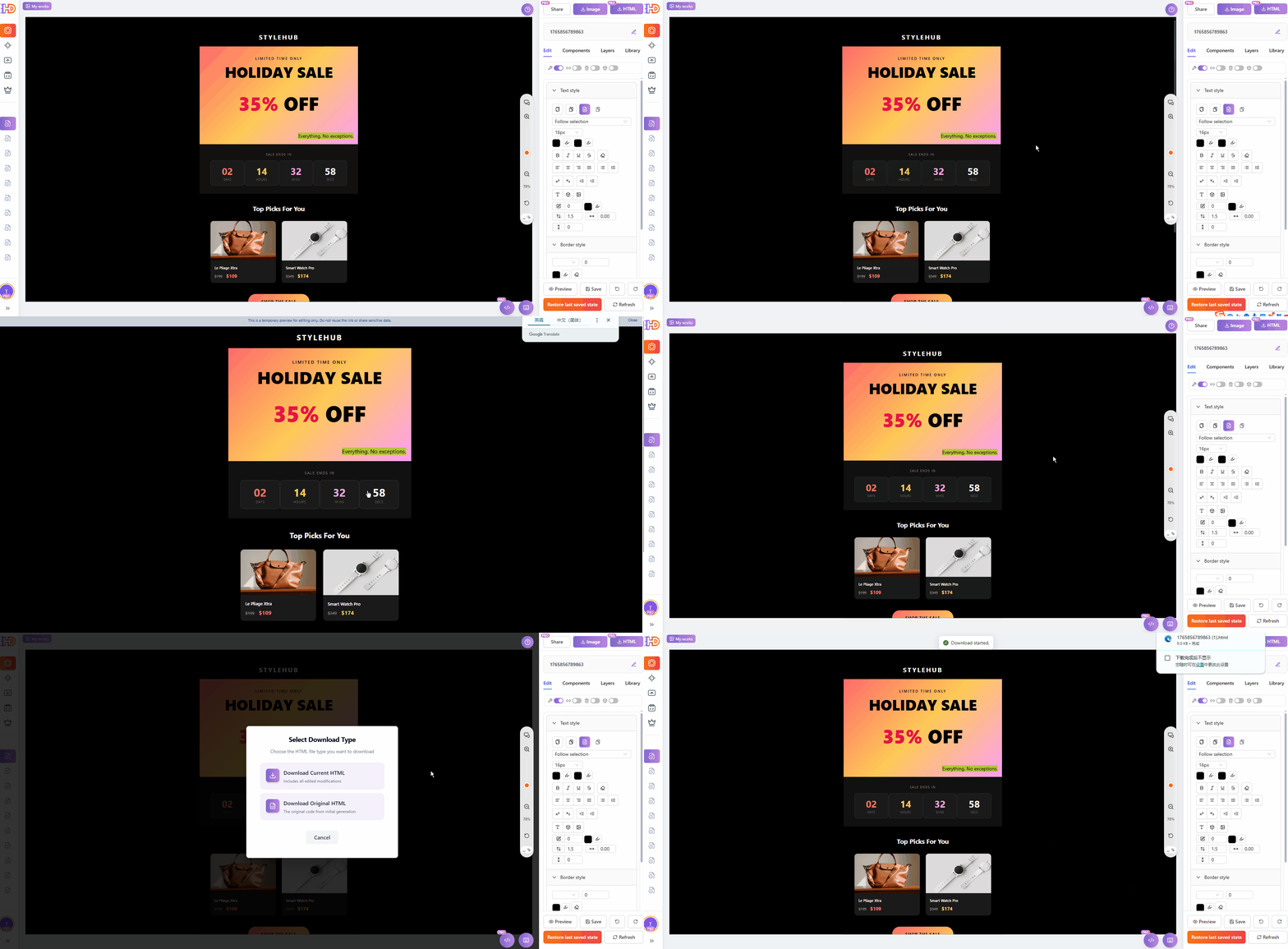
Step 6: Preview and Download HTML
Preview your changes, then download clean, email-ready HTML code that you can paste directly into your email platform.
The Result
Here's the final edited email—professional quality, no coding required.
Why This Matters
For Marketers
- Update seasonal promotions in minutes instead of hours
- No more waiting for developers to make simple text changes
- Test different headlines and images quickly
For Small Business Owners
- Customize templates from Mailchimp, Klaviyo, HubSpot, Constant Contact, or exports from Stripo and Beefree
- Keep your brand consistent without technical skills
- Save money on designer fees for minor updates
- Edit EDM templates, electronic invoices, and business reports visually
For Designers
- Hand off templates that clients can actually edit
- Spend time on design, not teaching HTML
- Fewer revision requests for text changes
Get Started
Ready to edit your first email template? Visit htmldrag.com and use "Paste Code" to import any email HTML. No signup required to try the visual email editor.
Professional email templates, edited visually, without any coding.