
Edit Existing and AI-Generated HTML Visually—Just Like Editing a Photo
HtmlDrag helps developers, marketers, and designers finish the last visual edits on real HTML. Select elements, refine them with targeted AI, and keep a clean HTML result you can continue editing, sharing, or exporting with zero vendor lock-in.
1. Product Positioning
What is HtmlDrag?
HtmlDrag is a visual editor that outputs standard HTML. Unlike site builders that lock you into their servers, it is designed for users who value delivery efficiency and refuse to be locked into a single platform.
HtmlDrag rejects Vendor Lock-in. We focus on the "last 10% refinement" of existing HTML pages—whether it's an AI-generated landing page, a competitor analysis snapshot scraped from the web, or a static page delivered by a designer. You can optimize layout through drag-and-drop and clicks in HtmlDrag. The output is standard, semantic HTML code ready for deployment to Vercel, Netlify, or any traditional server.
Core Value Proposition:
You Own the Code: Your code does not depend on HtmlDrag's runtime environment. Download and leave anytime, migrate anywhere.
Edit Web Pages Like Figma: Break free from the traditional "code view" and enjoy intuitive drag-and-drop, zooming, and layer control.
Seamless AI Handoff: Paste HTML code generated by ChatGPT or Claude directly for visual fine-tuning, solving the problem of precise detail control in AI output.
SEO & Performance First: Generated code is clean, free of redundant JS injections, ensuring fast loading and search engine friendliness.
⚡ Key Facts at a Glance (Direct Summary):
- Core Purpose: Visual WYSIWYG editor built specifically for the "final 10% refinement" of existing, AI-generated, and imported HTML pages.
- Key Differentiator: Unlike Wix, Webflow, or Squarespace, HtmlDrag requires no proprietary runtime and produces clean, portable HTML ready for any host (Vercel, Netlify, Apache, Nginx).
- Targeted AI Refinement: Modify selected elements or sections with natural language prompts without rewriting or breaking the rest of your page.
- Import Workflows: Clone Webpage (one-click clone), local file upload (.html/.htm), raw code paste, and AI file-to-HTML conversion (PDF, Word, PPT, Excel, Images).
2. Core Workflows: What You Can Accomplish with HtmlDrag
HtmlDrag is built around three connected outcomes after a page or source material exists: edit HTML visually, improve a specific section with AI, and turn supported files into a deliverable HTML page.
Visual HTML Editor: edit the page that already exists
Open an existing HTML file, paste code from an AI coding tool, or bring in a webpage. Then edit the rendered HTML directly instead of rebuilding the page from scratch.
- Content: edit text, headings, links, images, and tables in the page.
- Layout: move, resize, align, insert, duplicate, or delete elements while viewing the result.
- Structure: use layers and the DOM tree to select nested elements, lock targets, and keep complex pages manageable.
- Code handoff: switch between visual editing and source HTML when a change needs direct code control.
The result remains standard HTML instead of a page that only works inside a proprietary site builder. After the visual pass, save a version, share a preview, or export the cleaned page for deployment.

HTML Editor: choose an existing HTML file before editing it visually
Targeted AI HTML Refinement
AI Refinement is engineered for changing a selected part of an existing page, not for throwing away the whole layout and starting over. In traditional AI coding, asking for a small tweak often regenerates the entire document, causing context loss, broken layouts, and wasted tokens. With HtmlDrag, simply select or box-select the relevant element, describe the exact change, and let AI apply a localized, non-destructive update to the current HTML.
- Precise Scope: Work strictly on the element or component group that needs attention.
- Natural Language Prompts: Specify copy, spacing, color, layout, or responsive visual requirements.
- Instant Iteration: Compare versions side-by-side, continue visual editing, or refine the request again.
This workflow is especially useful when an AI-generated page from ChatGPT, Claude, or v0 is structurally solid but still needs precise brand, content, or responsive-layout adjustments.

Homepage AI Refinement: choose an HTML source before describing a targeted change
AI File to Editable HTML
When the starting point is a document, image, or other supported file rather than HTML, HtmlDrag can turn its content into a structured HTML page that can continue through the same visual editing workflow.
That distinction matters: the goal is not only to convert a file into a static preview. The generated page can be reviewed, adjusted, refined with AI, and prepared for sharing or export.

File to HTML: start from source material and continue with an editable HTML page
3. Bring content into HtmlDrag
Choose the input method that matches your starting point. Clone Webpage, Upload HTML, and Paste Code bring existing content into the visual editor; AI Creator helps create a first draft when you are starting from an idea.
Entry 1: Clone Webpage (Website Cloner)
Turn any website into your design canvas
See a webpage layout you like? Want to analyze a competitor's page redesign? Just enter the URL, and HtmlDrag's server-side rendering engine will capture the entire page and convert it into an editable HTML project. This goes beyond traditional "Inspect Element", giving you persistent editing capabilities.
Key Highlights:
- High-Fidelity Restoration: Intelligently parses CSS styles, background images, and layout structures to replicate the original design as closely as possible.
- Resource Localization: Automatically converts external images and fonts to local references or Base64 to prevent broken links.
- Safe Cleaning: Automatically removes tracking scripts, ad codes, and potential security risks from the original site.
Use Cases:
- Pixel-Perfect Competitor Analysis: Deconstruct layout implementations of excellent webpages.
- Old Site Reconstruction: Retrieve and update content from old websites with lost source code via URL scraping.
- Inspiration Collection: Build your own library of UI component assets.
Technical Note: Supports scraping Server-Side Rendering (SSR) and most Single Page Applications (SPA). Fidelity may vary for extremely complex Canvas animations or sites protected by strict CSP.

Clone Webpage: Enter a URL to get an editable copy of the webpage
Entry 2: Upload HTML
Revive your local HTML assets
Drag sleeping HTML files from your hard drive into the browser for an instant modern editing experience. Whether it's an archived project from ten years ago or an email template exported from a marketing tool, HtmlDrag parses it perfectly.
Key Highlights:
- Intelligent Structure Recognition: Automatically identifies HTML5 document structure, distinguishing between Head and Body content.
- Email Template Friendly: Specially optimized support for Table layouts and Inline CSS, addressing key pain points in Email Marketing (EDM) production.
- Style Isolation Sandbox: Uses Shadow DOM or Iframe isolation technology to ensure imported file styles are not polluted by the editor UI.
Use Cases:
- Email Marketing (EDM) Production: Fine-tune templates exported from Mailchimp or Stripo.
- Static Report Modification: Edit HTML data analysis reports generated by Python/R.
- Legacy System Maintenance: Quickly modify static pages of old projects without setting up a full development environment.
Entry 3: Paste Code (Raw Code)
The best bridge for AI code generators
Code generated by ChatGPT, Claude, or v0.dev is great, but how do you fine-tune it? Paste the code directly into HtmlDrag to seamlessly switch from "Code Mode" to "Design Mode".
Key Highlights:
- Instant Rendering Pipeline: Paste HTML/CSS code for millisecond-level visual presentation.
- Tailwind CSS Compatible: If Tailwind CDN is included in the code, the editor correctly renders corresponding utility classes.
- Snippet Composition: Paste different code snippets multiple times to combine them into a complete page.
Use Cases:
- AI-Assisted Development: Copy AI-generated code -> Visual fine-tuning in HtmlDrag -> Export finished product.
- UI Component Debugging: Quickly preview and modify Bootstrap or Bulma component code.
- Collaboration Review: Preview colleagues' code snippets in a real environment.

Paste Code: Paste HTML code for instant rendering and preview
Entry 4: AI Create workspace
From an idea or source material to an editable draft
The AI Create workspace brings prompt-driven creation, templates, existing HTML inputs, and File to HTML into one place. It is the page-generation workspace for creating or opening a draft that can continue into visual editing.
Key Highlights:
- Preset Size Selection: Offers various common canvas sizes (e.g., Cover, Banner, Social Media) to ensure the output fits your needs.
- Style Template Selection: Built-in design styles allow you to switch visual effects instantly without designing from scratch.
- Instant Editability: The generated or imported draft can continue into the visual editor for dragging, replacing, and adjusting.
Tip: AI Create is useful for establishing a visual draft. After the first draft is ready, continue with manual editing or use the appropriate refinement workflow for targeted changes.
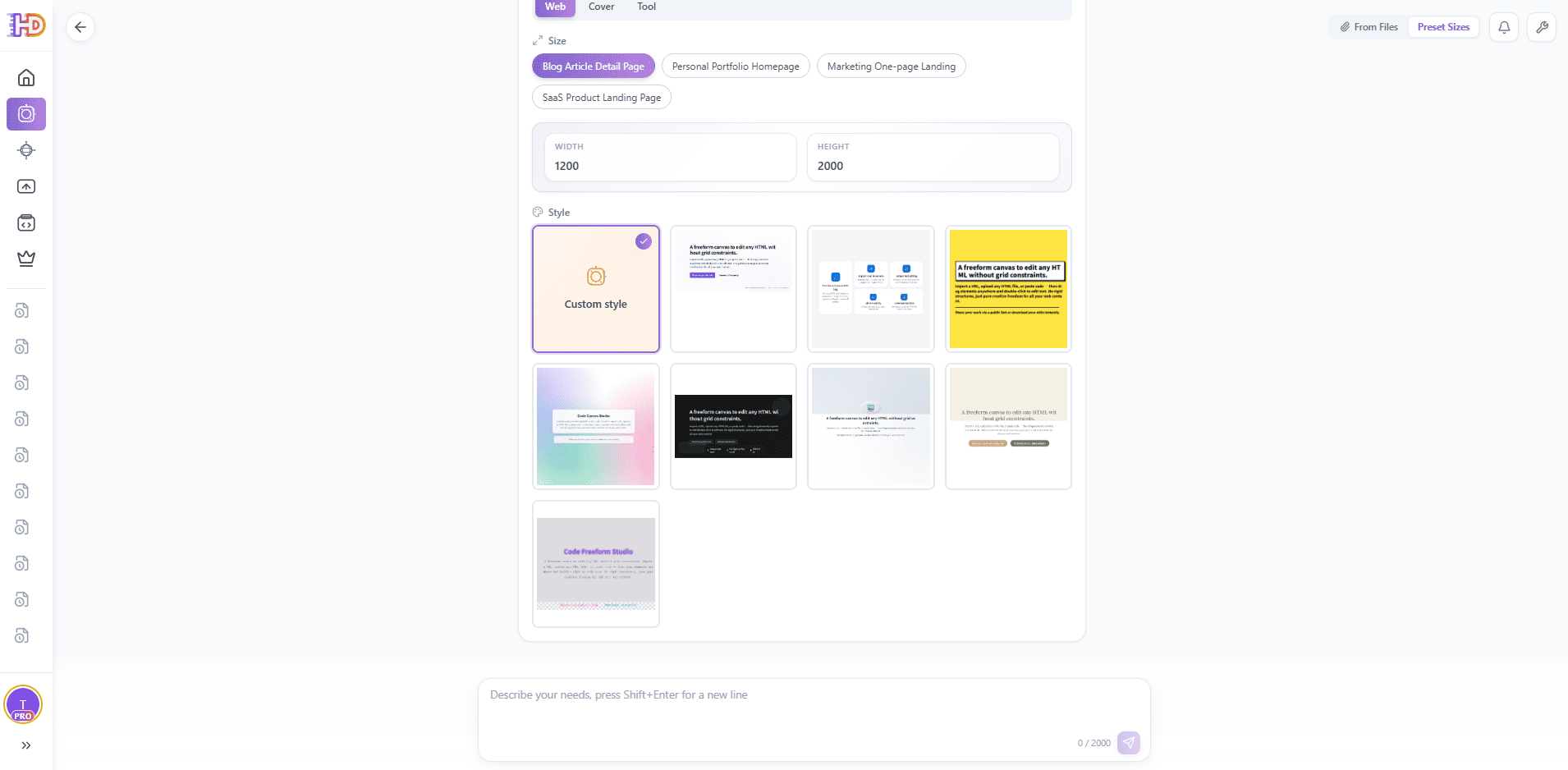
AI Create workspace: choose a page template and continue from an editable draft
4. Visual Editor Core Capabilities
At the heart of HtmlDrag is a powerful WYSIWYG editor that lets you manipulate real HTML environments directly, saying goodbye to tedious code editing.
4.1 Free Drag & Drop Layout
Break document flow limits, place anywhere
Traditional HTML elements are constrained by document flow, requiring CSS modification for position adjustments. HtmlDrag supports absolute positioning drag-and-drop, allowing you to move any element freely like in PPT or Photoshop.
- Smart Selection: Click any element to reveal a blue editing border and 8 resize handles.
- Free Movement: Hold and drag to move elements in real-time.
- Precise Resizing: Drag corner handles to resize, maintaining aspect ratio or free scaling.
- Multi-Select: Hold
Shiftto click multiple elements, or box-select for batch movement. - Copy & Paste:
Ctrl+C / Ctrl+Vto quickly duplicate elements across pages.
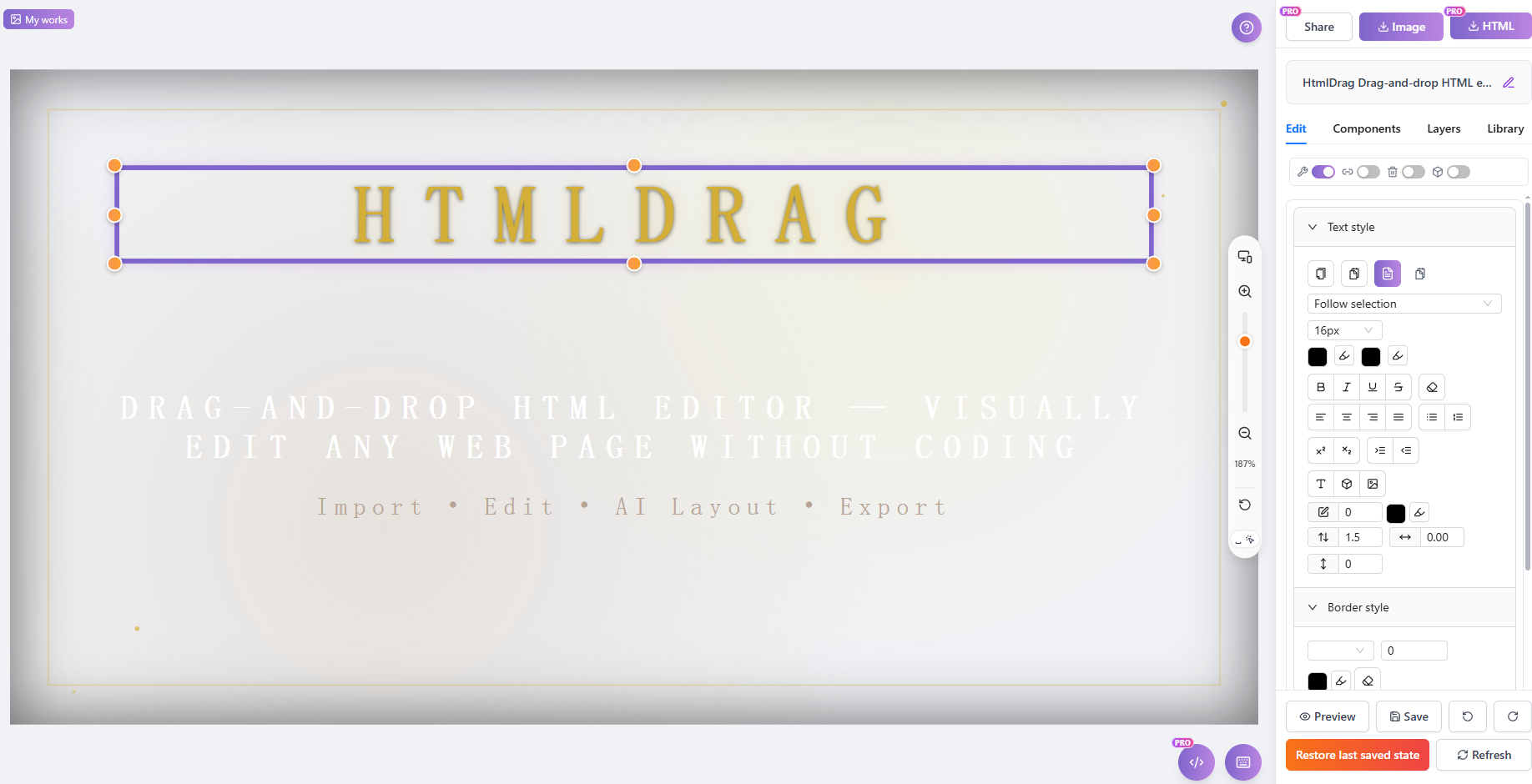
Visual editor canvas: select, move, resize, and style a real HTML element
4.2 Double-Click to Edit Text
Edit web text like a Word document
Double-click any text area to enter edit mode. No need to find text location in code, modify content directly on the page.
- Rich Text Support: One-click setup for bold, italic, color, links, etc.
- Real-time Preview: Edits appear instantly on the page.
- Preserve Original Styles: Text modifications won't break existing CSS styles.
4.3 Image Replacement & Adjustment
One-click image replacement, drag to resize
Click images on the page to quickly replace them with local files or new image URLs. Drag orange handles to resize with real-time preview.
- Local Upload: Supports common formats like JPG, PNG, WebP, GIF.
- URL Replacement: Paste image links directly to replace.
- Ratio Lock: Choose to maintain original aspect ratio or adjust freely.
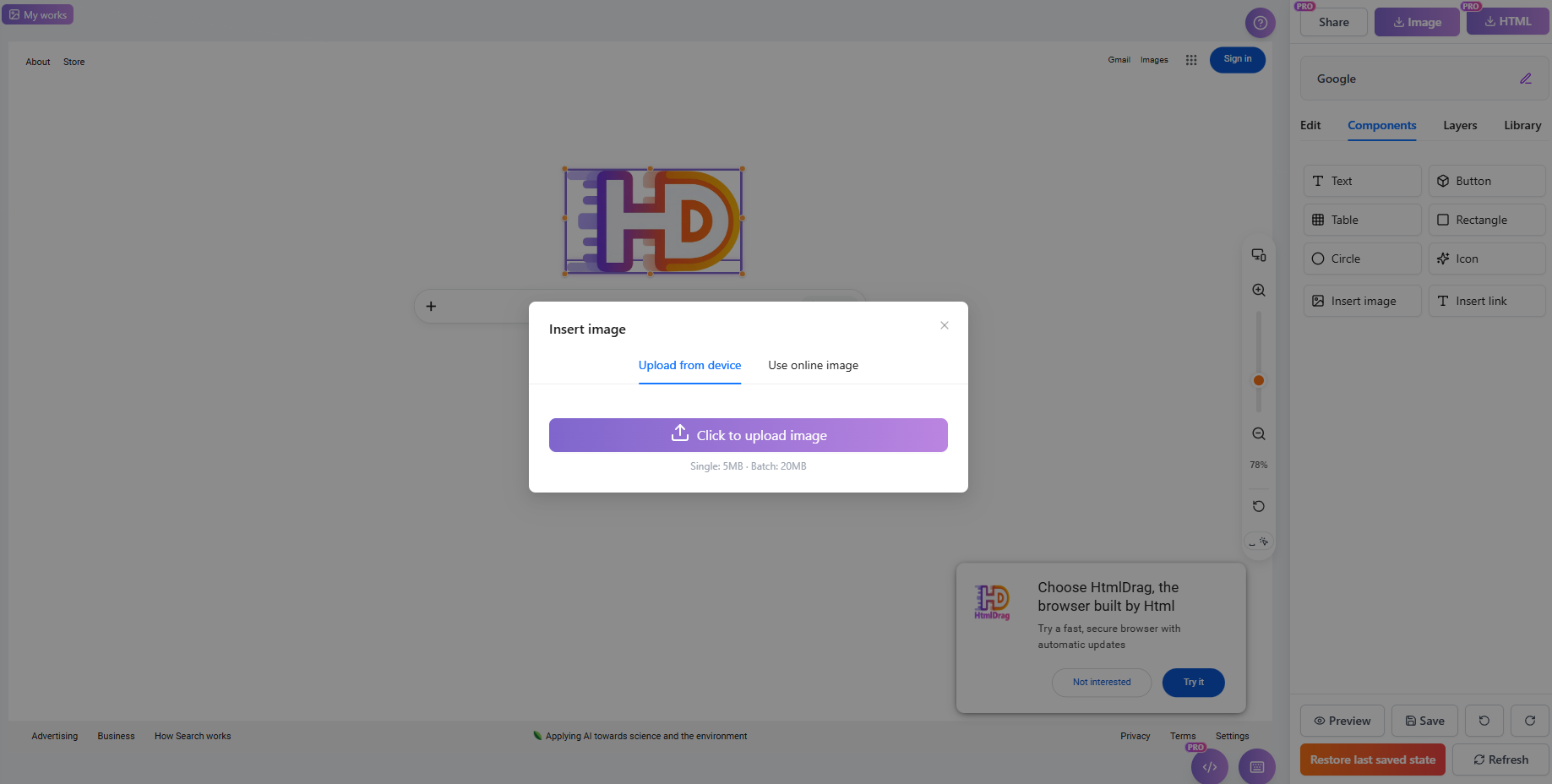
Image editing: replace an image, use an online source, and adjust it on the canvas
4.4 Visual Style Adjustment
No CSS coding, click to configure
Select any element and intuitively adjust its style via the properties panel:
| Adjustable Properties | Description |
|---|---|
| Margin & Padding | Independent adjustment for four directions |
| Background Color | Color picker or direct hex input |
| Typography | Font size, line height, color, alignment |
| Borders & Radius | Width, color, style; corner radius |
| Shadows | Visual Box Shadow configuration |
| Opacity | Opacity slider adjustment |
4.5 Layer Management & DOM Tree
Manage HTML structure like Photoshop
For complex nested structures, direct clicking is often imprecise. The layers panel provides a full DOM tree view, letting you pierce through complex div hierarchies to select targets accurately.
- Visual DOM Structure: Displays HTML nodes in a tree structure for clear parent-child relationships.
- Precise Positioning: Easily select occluded elements or tiny icons.
- Non-Destructive Operations: Assist editing with hide/lock functions without breaking code structure.
- Renaming: Name layers for clear structure organization.
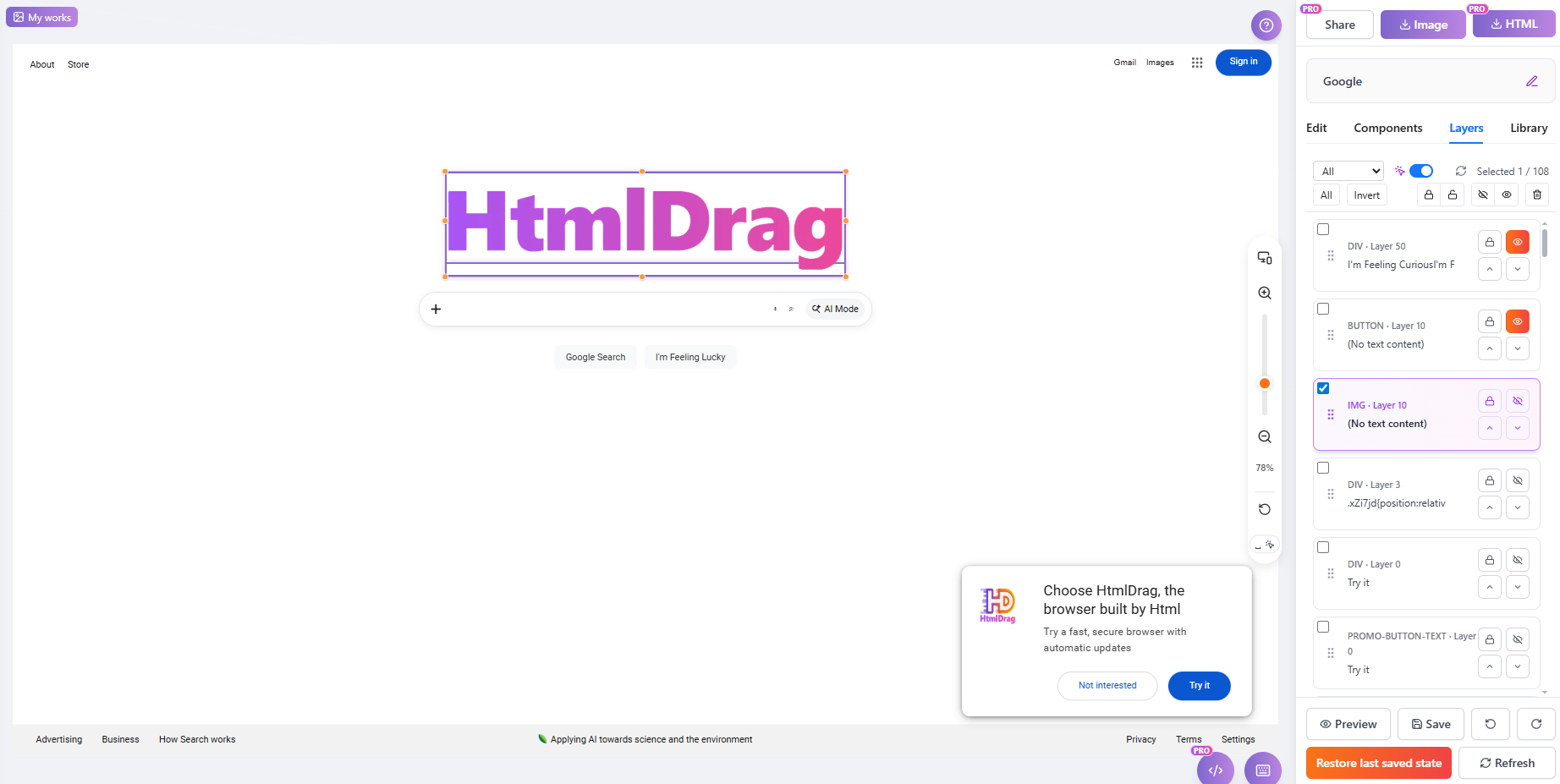
Layers and DOM tree: find, lock, hide, and organize nested page elements
4.6 Built-in HTML Source Editor
Switch to code view anytime for fine control
While HtmlDrag focuses on visual editing, we retain a source editing entry for coding-capable users. Click the "Code" button in the toolbar to view and edit raw HTML/CSS in a popup.
- Syntax Highlighting: Colored code for easy reading
- Real-time Sync: Canvas updates immediately after code modification
- Conflict-Free: Seamlessly switch between visual and code editing
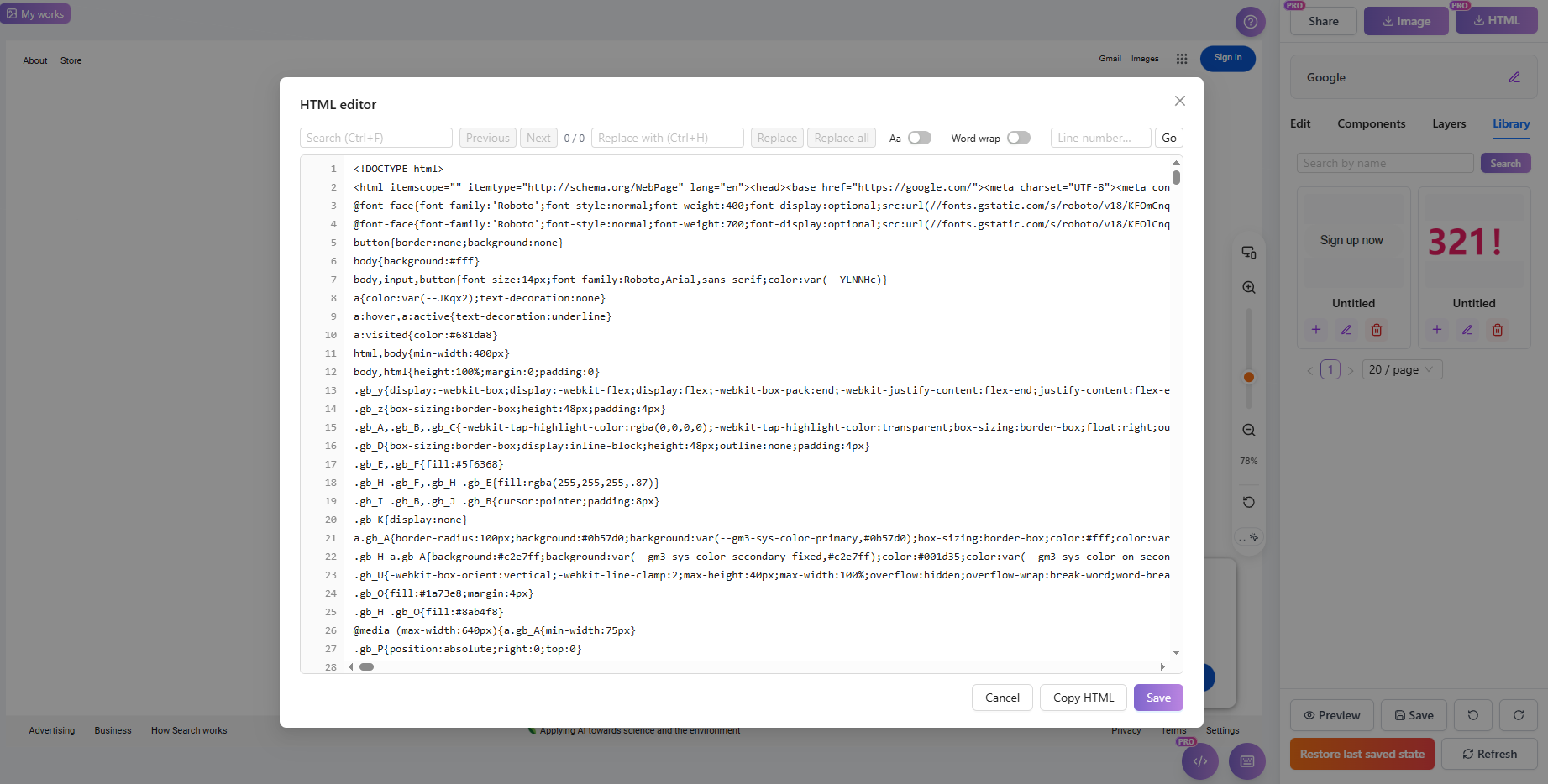
Source editor: switch to HTML code when visual controls are not enough
4.7 Element Favorites & Reuse
Save favorite blocks to "My Favorites" for cross-project reuse
Found a beautifully designed block while editing? Save it to your "My Favorites" list. Next time you create a new project, simply insert it directly without rebuilding.
- One-Click Save: Select any element or block, right-click and choose "Add to Favorites"
- Favorites Management: View, rename, and delete saved elements
- Cross-Project Use: Insert saved elements directly into new projects
4.8 Viewport Size Presets
Switch canvas size to preview different screen widths
HtmlDrag offers various viewport size presets, including Mobile (375px), Tablet (1024px), Desktop (1280px ~ 1920px), helping you quickly preview how the page looks on different devices.
- Multiple Presets: Built-in 7 common screen sizes, covering mobile to desktop
- Auto-Fit Original: Automatically identifies the original canvas size based on imported content
- Edit While Previewing: Continue all editing operations even after switching sizes
5. Save, Share & Export
Your projects belong to you. HtmlDrag offers open export options without platform lock-in.
5.1 Export Standard HTML (Clean Export)
Your code, completely free
This is the biggest difference between HtmlDrag and Wix or Squarespace: We don't bind you to a platform. Click download, and you get a clean `.html` file ready to deploy anywhere.
- Zero Runtime Dependencies: Exported pages run without loading any HtmlDrag JS libraries.
- Semantic Preservation: We strive to preserve original HTML semantic tags (like header, article, footer) during editing, beneficial for SEO.
- Two Download Modes:
- Download Current HTML: Includes all edits and modifications, automatically cleaning up editor helper markers.
- Download Original HTML: Retains the original code from import for comparison.
5.2 Online Sharing
One link to share with anyone immediately
Don't want to deploy a server? Use HtmlDrag's online sharing feature. Generate a temporary access link to send to clients, colleagues, or friends for viewing without login.
- Instant Generation: Click "Share", link is ready immediately
- Validity Management: Links are valid for 7 days by default, and can be renewed at any time
- Privacy Control: Cancel sharing anytime to invalidate links immediately

Online sharing: preview the edited page through a shareable link
5.3 Export Image
Save webpage as image for design archives or social sharing
Need to save the page as an image? HtmlDrag supports exporting the full page (including long pages) as a PNG image.
- Full Page Screenshot: Supports capturing long pages completely, not just one screen
- Clear Presentation: Fully preserves page text, images, and styles
- Use Cases: Design archives, social media sharing, client proposal presentation
6. Comparison with Traditional Tools
HtmlDrag vs. Traditional Online Site Builders
| Dimension | Traditional SaaS Builders | HtmlDrag |
|---|---|---|
| Core Positioning | Provide hosting services for building full sites on platform | Provide editing tools to help modify HTML from any source |
| Code Ownership | Code often encrypted or obfuscated, hard to export for independent deployment | Fully Transparent — export source code, no platform dependency |
| External Import | Usually doesn't support importing external HTML, restricted to their templates | High Compatibility — supports AI Creator, Clone Webpage, file upload, code paste |
| Long-term Cost | Must subscribe continuously, otherwise site goes offline | No Lock-in — exported files can be hosted on any free/paid server |
HtmlDrag vs. Local Professional Code Editors
| Dimension | Professional Code Editor | HtmlDrag |
|---|---|---|
| Entry Barrier | Need to understand HTML/CSS syntax, configure dev environment | Zero Barrier — drag and double-click to edit like slides |
| Feedback Speed | Write code → Save → Refresh browser | Real-time feedback, WYSIWYG, millisecond response |
| Modification Efficiency | Adjusting layout requires manual calculation of CSS properties | Intuitive operation, drag to change position and size |
| Use Cases | Large project development, logic programming | Rapid prototyping, landing page tweaking, copy/image modification |
7. Core Advantages & Value
Why Choose HtmlDrag?
- Extremely Lightweight: No need to download bulky dev tools. Open in browser, use instantly, modify code anywhere.
- Privacy Secure: We respect your data. Visual editing happens locally in browser. Cloud services only used for Clone Webpage and AI generation. Unless you share online, edited code isn't uploaded.
- Zero Dependency Delivery: Exported HTML files don't rely on any HtmlDrag libraries or services. Fully yours, commercial use allowed, deploy anywhere.
8. Scenarios & Audience
Indie Developers / Webmasters
Scenario: Rapidly Build Landing Pages & MVPs
- AI Kickstart: Generate product intro drafts with AI, skip template hunting.
- Quick Tweaks: Drag and drop to change text and images on purchased HTML templates without touching code lines.
- SEO Optimization: Edit page titles, descriptions and structure directly in the visual interface to improve search engine indexing.
E-commerce / Marketing Teams
Scenario: High-Frequency Campaign Pages & Email Marketing
Use Cases:
- Pixel-Perfect Competitor Analysis: One-click capture competitor landing pages, deconstruct layouts locally, and adapt copy to validate campaign angles and offers rapidly.
- Email Template Refinement: Import HTML emails exported from marketing tools, fine-tune spacing and fonts to ensure proper display across email clients.
- Multi-Version Testing: Quickly create multiple versions of landing page hero sections to test different copy and image combinations.
UI/UX Designers
Scenario: High-Fidelity Prototype Delivery & Design QA
- Design QA: Adjust spacing, font sizes and colors directly on HTML pages delivered by engineers, export corrected styles to developers, reducing communication costs.
- No-Code Website Building: Create personal portfolio websites without relying on developers, with full control over visual effects.
Education & Training / Knowledge Commerce
Scenario: Courseware Creation & Material Distribution
- Interactive Courseware: Create HTML courseware rich with images, text and videos, distribute directly to students without requiring special readers.
- Single-Page Info Sites: Quickly generate an introduction page for specific courses or resource packages for community sharing.
Start Using HtmlDrag
HtmlDrag offers generous free quotas. New users receive bonus credits upon registration
to experience AI generation and Clone Webpage features. Visual editing is completely free with unlimited use.